
Sales Tools in Avada Pro
Last Update: October 20, 2026
Avada Pro extends WooCommerce with sales tools that help shop owners capture customer interest, support purchase decisions, recover missed opportunities, and encourage repeat engagement. The Sales tools are available for WooCommerce stores and are managed individually from Avada’s Sales settings, found at Sales from the Avada Dashboard.
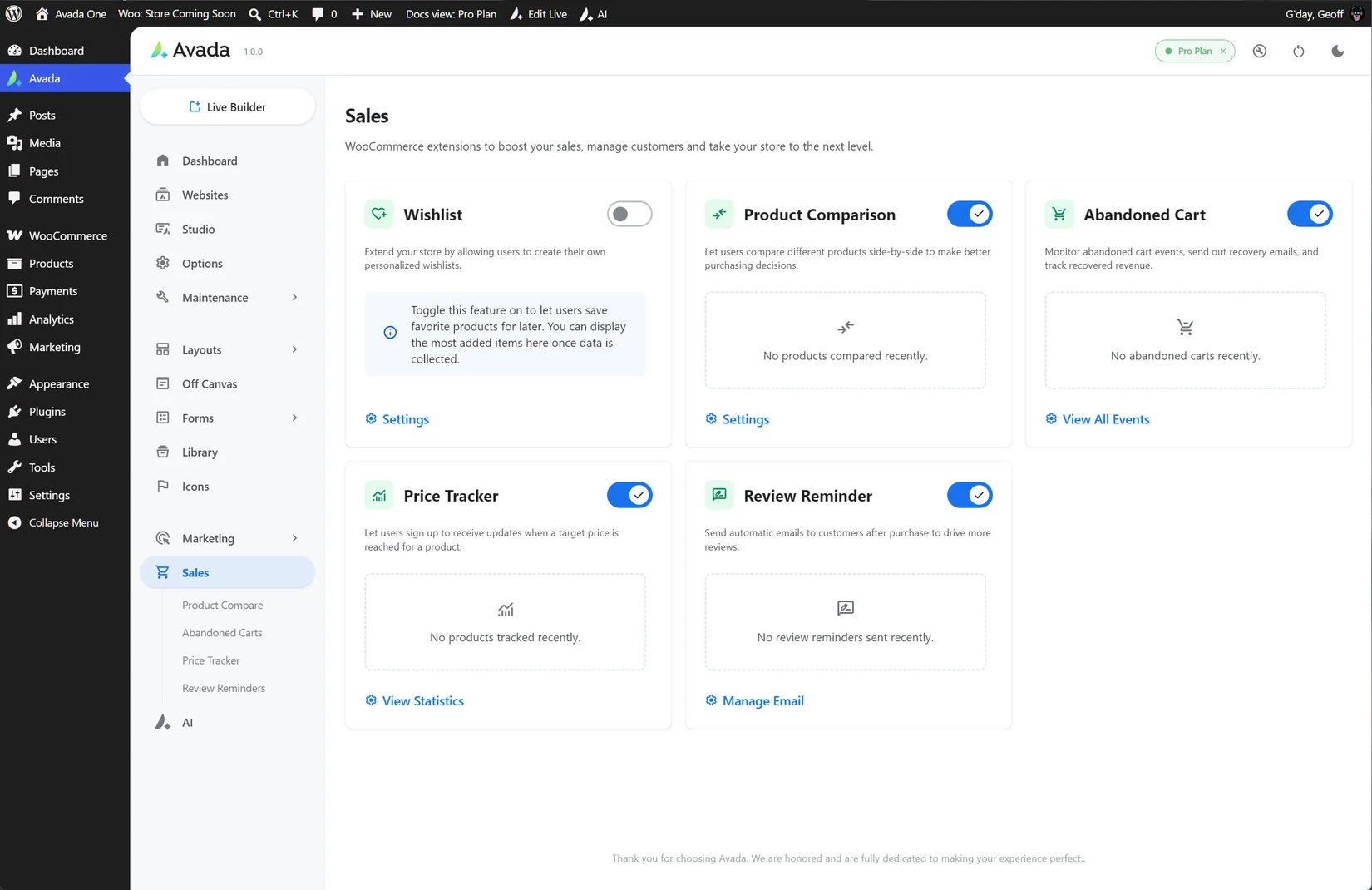
Wishlist
Wishlist allows shoppers to save WooCommerce products for later without needing an account. Customers can access their saved products from a dedicated Wishlist page or through WooCommerce My Account. Wishlist links can also be shared, while store owners can review wishlist activity and identify products that shoppers are most interested in.
Product Compare
Product Compare lets visitors select two or more WooCommerce products and review them side by side. It is designed to help shoppers evaluate specifications, features, and prices before choosing which product to buy. The comparison list is session-based and is not tied to a customer account or marketing email sequence.
Abandoned Cart Recovery
Abandoned Cart Recovery detects carts where shoppers have added products but left before completing checkout. Avada can send a recovery email that brings the shopper back to the cart. The default recovery process applies to all products, while product-specific recovery campaigns can be created through Marketing Experiments.
Price Tracker
Price Tracker allows shoppers to request an alert when a product reaches a lower price. A Price Alert tab can appear on product pages, allowing customers to enter their email address and optionally specify a target price. Avada monitors tracked products and sends batched notifications when prices drop.
Review Reminders
Review Reminders automatically schedule emails after a WooCommerce order reaches Completed status. The email asks customers to review the products they purchased, helping store owners build product reviews and social proof without manually contacting every customer.
Requirements and administration
The Sales tools are WooCommerce features and appear in the Avada dashboard for sites with WooCommerce active. Each feature has its own enable or disable setting, and customer-facing pages such as the Wishlist, Compare, and Price Tracker pages must be selected or designed where applicable.


















































































































