The Avada WooCommerce Builder
Last Update: November 18, 2025
The Avada WooCommerce Builder is an umbrella term for a wide-ranging suite of WooCommerce-related features in Avada.
What this means in practice is that you can create a completely customized experience for your WooCommerce users from start to finish. You can design and build your own conditional layouts for individual WooCommerce Products, as well as create custom Shop, Cart, Checkout, and Archive pages, all using the design flexibility and power of Avada Builder, the extended range of our Woo Design, and other Avada Builder Elements.
See the links below for documentation and videos on using this suite of WooCommerce tools for the various sections of WooCommerce.
Avada Layouts vs Editing A Page Directly
In WooCommerce, it’s likely your shop will have many products. So, it makes sense to use a template when designing a layout for your single products. WooCommerce uses a default template for your products but with Avada Layouts you can build a template, or several, for your WooCommerce single products. For example, like in the Avada Winery prebuilt site, you might have a product layout for simple single products and another for variable products.
However, creating a Shop, Cart, or Checkout page in WooCommerce is a bit different. There is only one of each of these, and so it makes more sense in that situation to directly edit the page. This approach, coupled with the collection of expanded Woo Layout and Woo Design Elements, and the power and flexibility of Avada Builder, gives you the tools to create a fully custom WooCommerce experience for your users.
Woo Layout Elements
Woo Layout Elements are designed to be used when creating a Layout (template) for your WooCommerce Products. This is done using Avada Layouts. Woo Layout Elements are dynamic Elements used to populate the Layout, which then pull the relevant product content into the page. Most of these Layout Elements are only available when editing Content Layout Sections, but some are also available in Page Title Bar layout Sections. You can of course, use many of the Design Elements as well in your layout, as many of these have Dynamic Content options.

Woo Design Elements
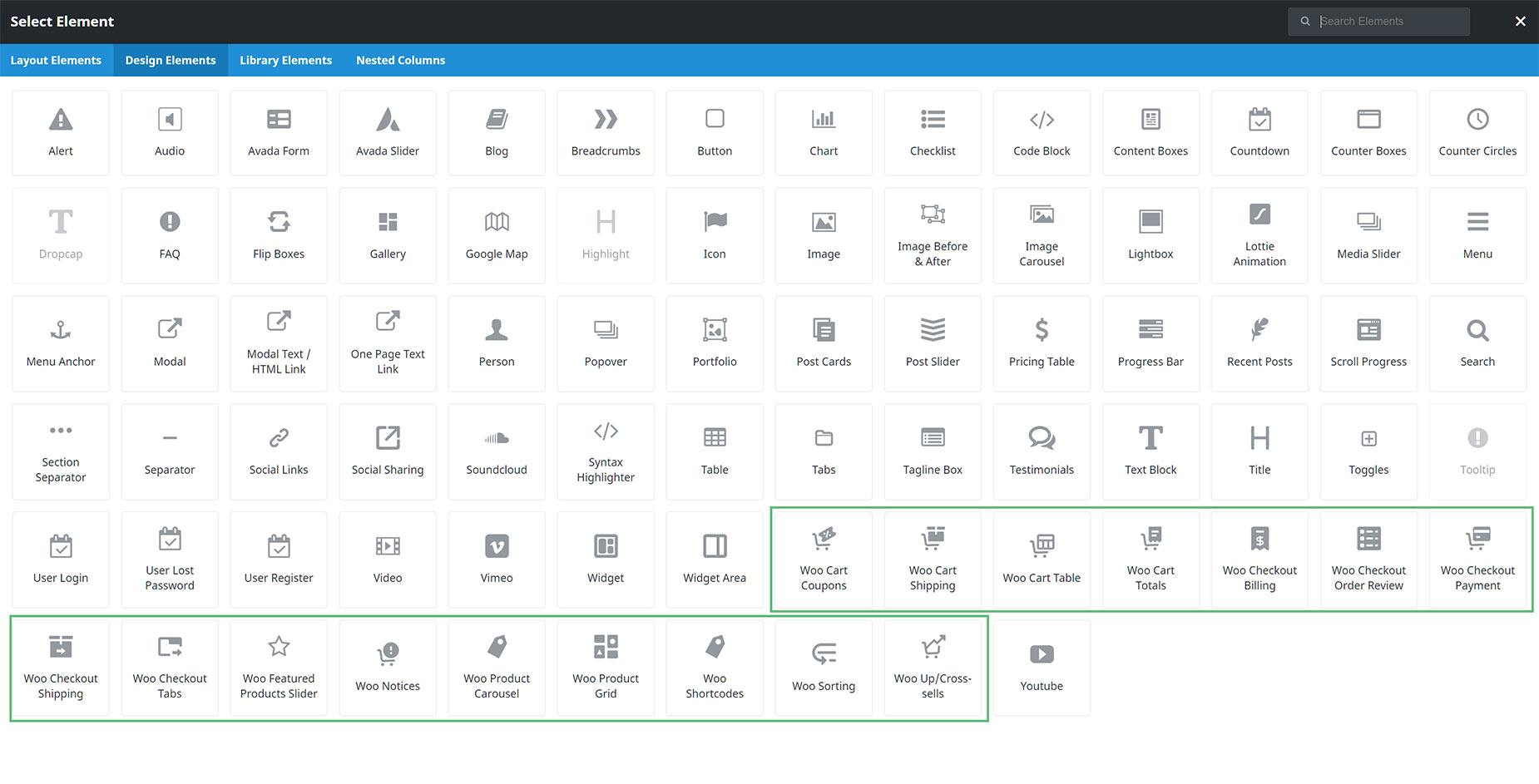
Woo Design Elements, on the other hand, are standard Design Elements with a range of new Woo Design Elements that were explicitly added to help build custom Shop, Cart, and Checkout pages. Others, like the Woo Notices, Woo Shortcodes, and Woo Product Carousel Elements, can be used in a variety of settings. There are now sixteen (16) specific Woo Design Elements.