Share
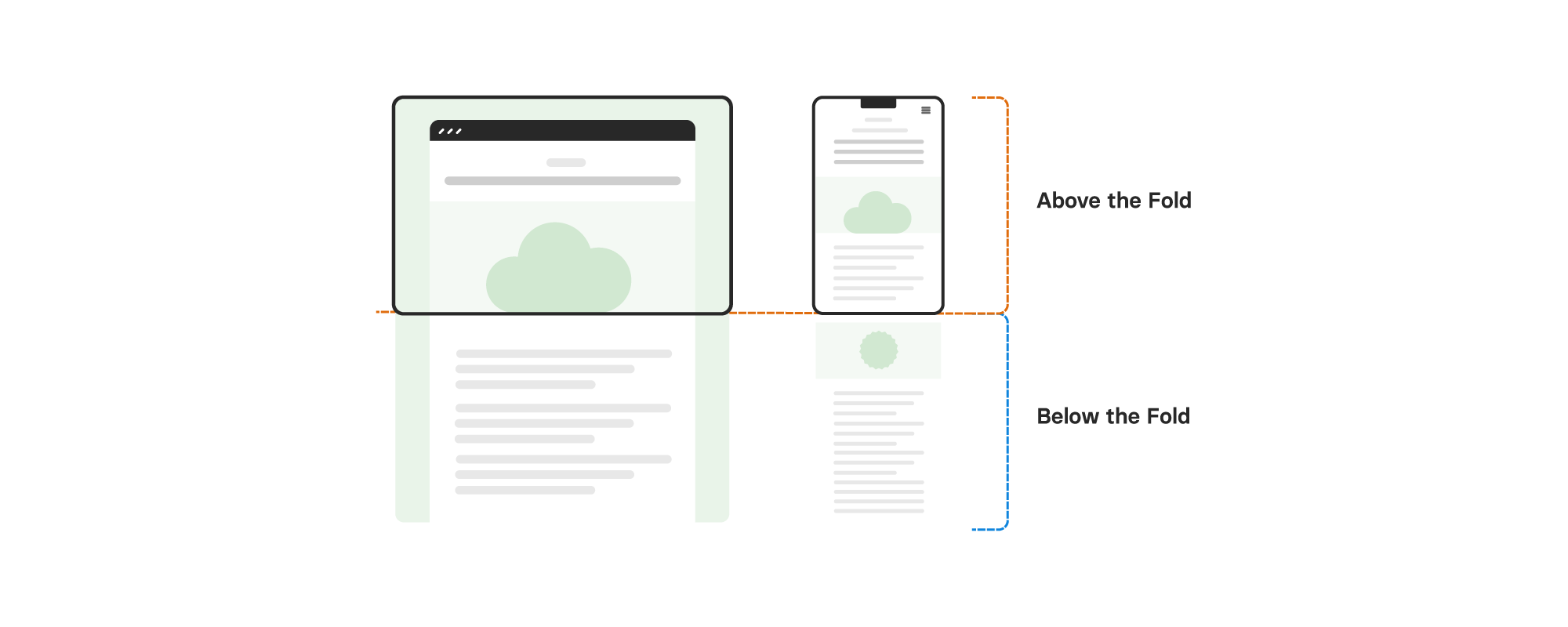
If your website feels slow to load, the problem often starts at the very top of the page. The content that appears in the initial browser viewport — known as “above-the-fold” content — has a huge impact on how quickly your site loads and how Google scores its performance.
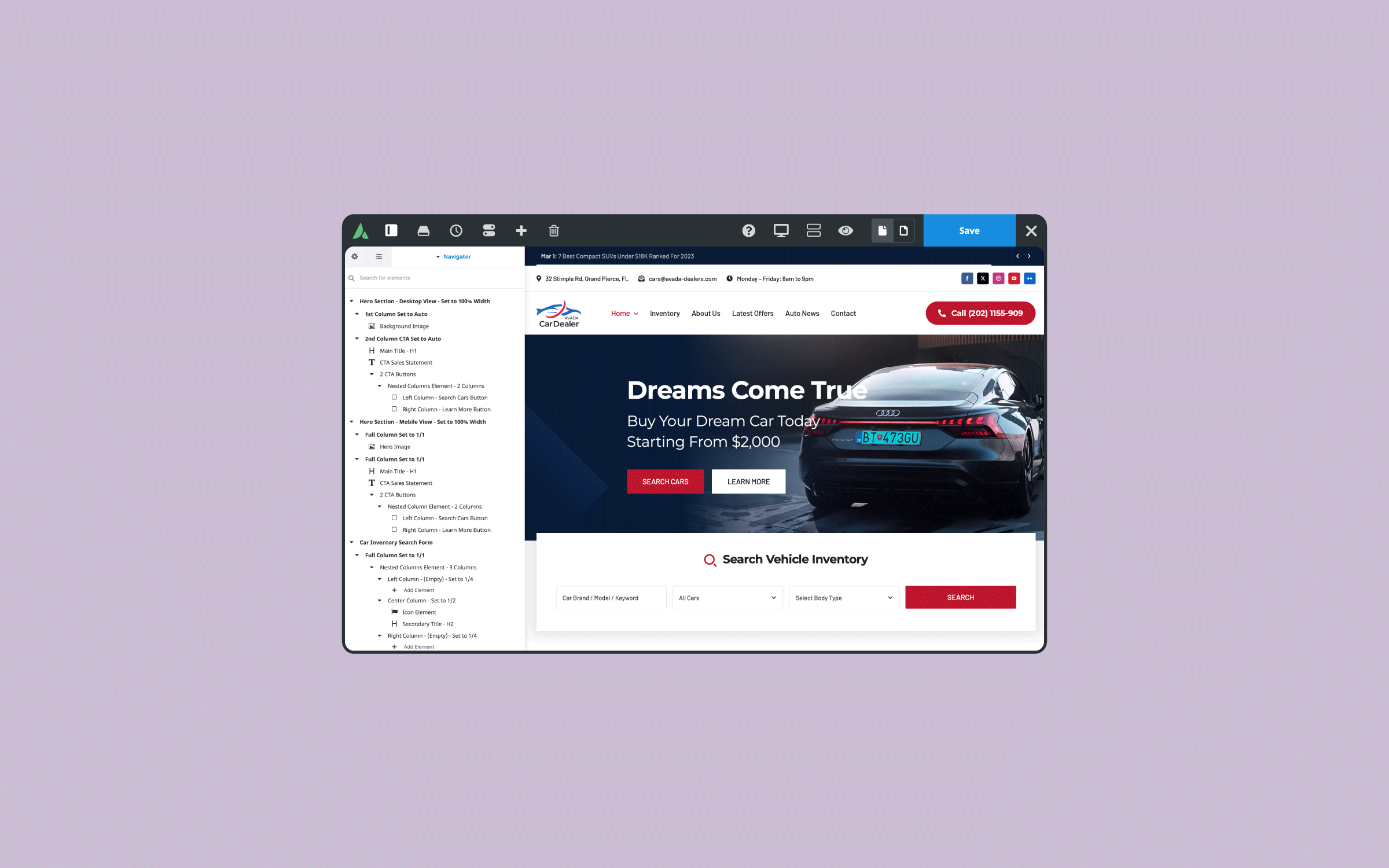
In this guide, we’ll walk through exactly how above-the-fold content affects your site speed and what you can do to optimize it. The principles apply to any WordPress website, but if you’re using Avada to design and build your website, you’ll find that many of these optimizations are built right in — making them quicker and easier to implement.
By the end, you’ll have practical steps you can apply today to improve your Core Web Vitals and deliver a better experience to your visitors.
Overview
What Is Above-the-Fold Content?
Above-the-fold content is everything a visitor sees in their browser window before they scroll. This is the first impression your website makes, and search engines pay close attention to how quickly and smoothly it loads.
Because this content loads first, it directly affects:
Optimizing this area is one of the highest-impact changes you can make for both performance and SEO — regardless of which WordPress theme or page builder you’re using.
Why Image/Video Sliders Affect Performance
One of the most common performance issues we see on WordPress sites is caused by sliders at the top of a page. While sliders look impressive, they’re often the biggest reason your above-the-fold content loads slowly. Here’s why sliders can cause problems:
The same issues apply to image carousels, toggles, and any element with moving parts. If performance matters to you (and for SEO, it absolutely should), it’s best to avoid these assets above the fold on any WordPress site.
5-Steps to Optimize Above-the-Fold Content
Now that we understand why above-the-fold content matters and which elements to avoid, let’s get practical. The following five steps will walk you through the exact process for optimizing your above-the-fold content to improve performance.
We’ll start by benchmarking your current scores, then move through replacing performance-heavy Elements, tailoring your content for mobile, and finishing with critical CSS to tie everything together. Each step builds on the last, so it’s worth working through them in order.
The good news? You don’t need to be a developer to apply any of this. If you’re on a standard WordPress setup, you’ll be able to follow along using your theme’s built-in options or a few well-chosen plugins. If you’re using Avada, most of these optimizations are available as toggles and settings inside the theme — no code required. Let’s get started.
Step 1: Test Your Starting Point
Before making changes, you need a benchmark. Run a Google PageSpeed Insights test on your current page so you can compare results later. A few important tips when testing:
When you run the test, pay close attention to your Largest Contentful Paint (LCP) score. If it’s poor, your above-the-fold content is almost certainly the culprit.
Step 2: Replace Your Slider With a Static Hero Container
Instead of a slider, build a simple hero container that achieves the same visual impact without the performance penalty. The principle here applies to any WordPress site: a static hero section will almost always outperform a JavaScript-powered slider. Here’s the approach:
Set a minimum height using CSS, not JavaScript.
Use a value like calc(100vh – 150px) (where 150px is your header height or whatever it is set to). The minimum-height option uses pure CSS, which loads faster than full-height options that rely on JavaScript.
Set a minimum height using CSS, not JavaScript.
Since this image will be above the fold, you want it to load as quickly as possible. Lazy loading is great for images further down the page, but it actively slows down the content visitors see immediately.
Add a title, text, & buttons inside the container (If desired).
These elements load quickly and won’t cause layout shifts the way a slider would.
Step 3: Create Mobile-Specific Above-the-Fold Content
Mobile users have smaller screens and often slower connections, so serving them the same large desktop background image is wasteful. A better approach — for any WordPress site — is to build separate above-the-fold content for mobile.
The key principle is to use Avada Conditional Rendering rather than just hiding Avada Design Elements with CSS. Why? Because hidden Elements still load in the background, they just aren’t displayed. Conditional Rendering means unused content never loads.
For the mobile version, use an Avada Image Element instead of a background image. Image Elements have two big advantages:
Just like with the desktop version, set fetch priority to high and skip lazy loading for any above-the-fold image on mobile.
Step 4: Regenerate Your Critical CSS
Critical CSS is the styling needed specifically for your above-the-fold content. When generated correctly, it loads in the page head while the rest of your styles get moved to the footer. The benefit? Your above-the-fold content gets styled almost instantly, reducing render-blocking time and improving your LCP score.
There are several ways to handle critical CSS on a WordPress site, including dedicated plugins. Whichever method you use, the rule is the same: if you’ve changed your above-the-fold content, you’ll need to regenerate your critical CSS to match your new layout.
Step 5: Retest and Compare
Once you’ve made these changes, run another Lighthouse test in incognito mode. You should see clear improvements in:
A Quick Note on Text-Based LCP
If your largest contentful paint isn’t an image but is actually a heading title or block of text, the optimizations are slightly different. In that case, you’ll want to preload the specific font weight used by that Avada Title or Text Block Element (for example). This ensures the browser doesn’t have to wait for the font file to download before rendering your most important content.
Summary
Optimizing above-the-fold content is one of the most impactful things you can do for both site performance and SEO on any WordPress website. The key principles to remember are:
These principles will improve performance on any WordPress theme — but if you’re using Avada, you’ll have a clear advantage. Many of these optimizations are already built into the theme, meaning you can apply them through simple toggles and options rather than writing custom code or relying on multiple plugins. The Performance Wizard, Skip Lazy Load, Conditional Element Rendering, and built-in Critical CSS tools all work together to make above-the-fold optimization genuinely straightforward.
Whether you’re on Avada or another WordPress setup, the goal is the same: faster load times, better Core Web Vitals, and a smoother experience for every visitor.