Multilingual Management With WPML And Avada
Last Update: September 10, 2025
Overview
WPML (WordPress Multilingual Plugin) is the most popular translation plugin on the market and is fully compatible with Avada. With WPML, you can translate pages, posts, custom types, taxonomy, menus, and texts. Using WPML, you can easily translate your Avada website into more languages and create a multilingual site in just a few minutes.
Requirements
To get started with Avada and WPML, you will need:
How to Translate Avada with WPML
WPML can translate any part of your Avada website, including all 120+ Avada Elements, Avada Studio content, and Avada prebuilt websites.
To translate any content built with Avada, go to WPML → Translation Dashboard. Then, scroll down to the type of content you want to translate and select the items you want to translate.
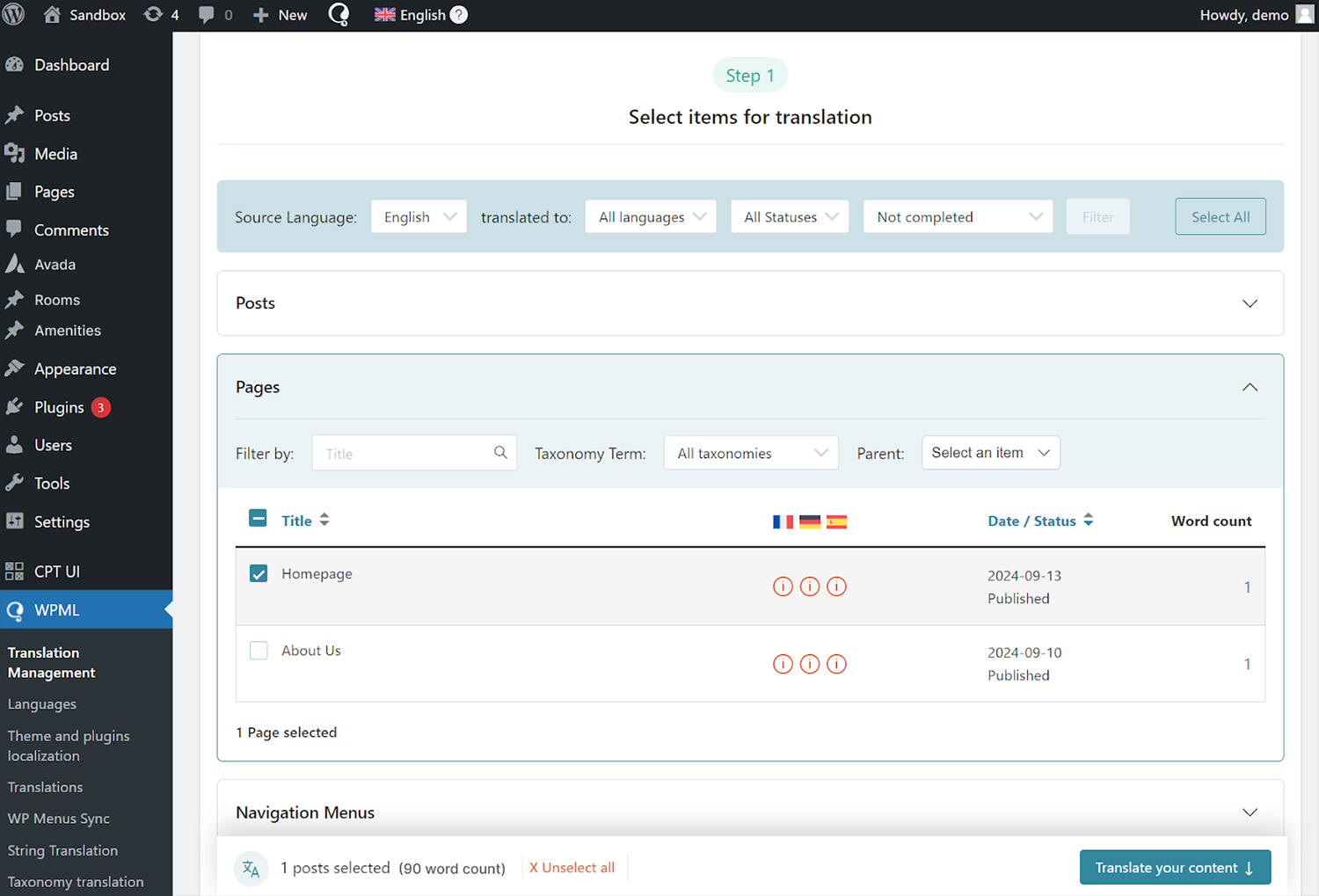
Next, choose your translation method. For the best translation quality, we recommend translating automatically with WPML’s most accurate AI translator – Private Translation Cloud (PTC).
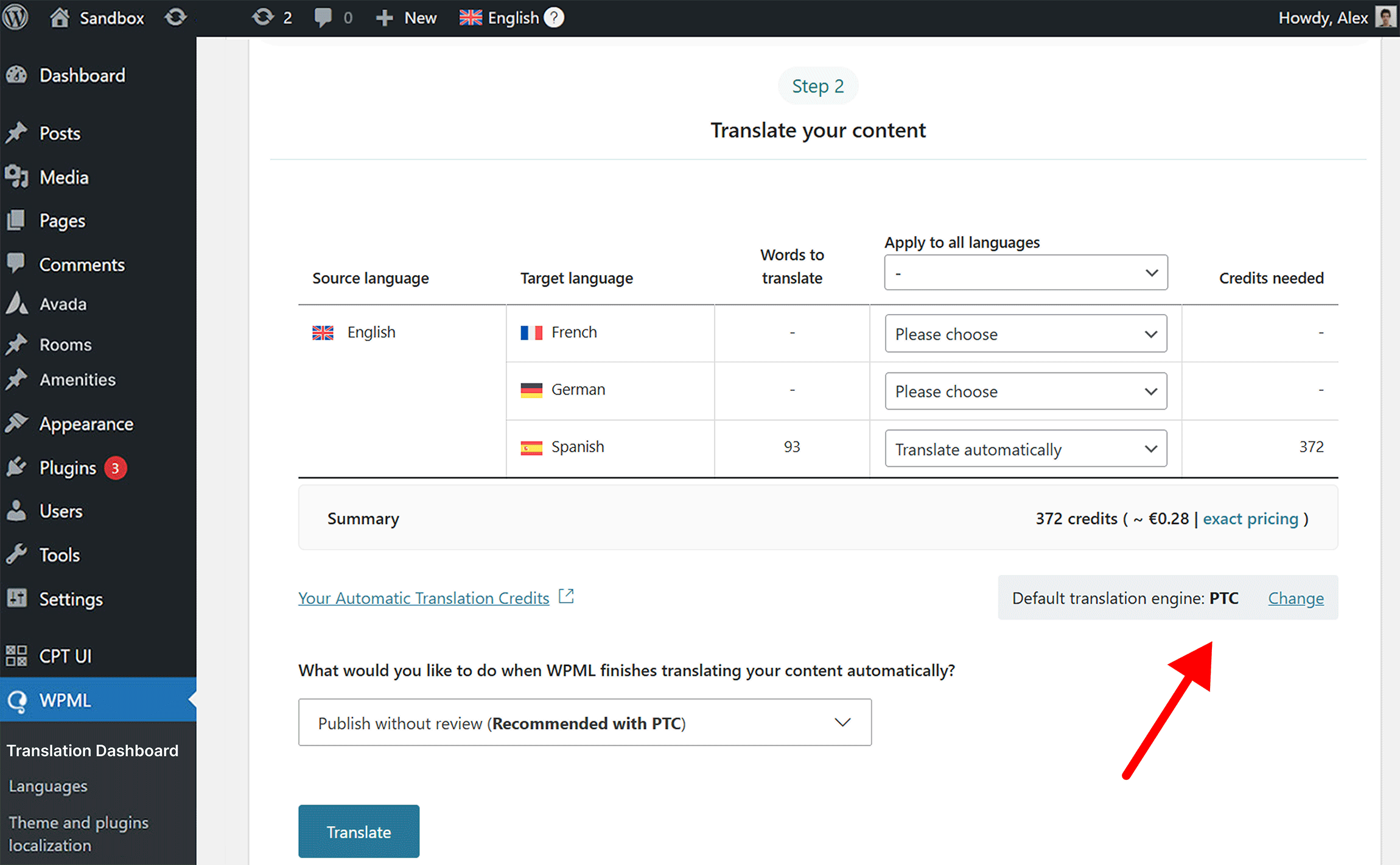
PTC is like your own team of expert translators with a deep understanding of your content and niche. It’s WPML’s proprietary AI technology, and even includes a translation quality guarantee: If you’re not satisfied with PTC’s translations, you’ll get a full refund.
Once WPML finishes translating your content, the translations will appear on your website when you switch languages.

If at any moment you want to edit your AI translations, you can always make changes using the Advanced Translation Editor.
Just visit the translated page you want to edit on the front-end, and click Edit translation in the top admin bar. This will open the editor, where you can make any changes necessary.
Can’t Translate Some Texts?
If you can’t translate some texts on your website, like those in your Avada theme or other WordPress plugins, these texts are likely ‘strings.’
To translate strings, go to WPML → Translation Dashboard, and scroll down to the Other Texts (Strings) section. Then, search for the texts you want to translate and follow the same translation process as previously covered.
If you still can’t find some strings, visit the page with your missing texts on the front end and switch languages. As you view the page, WPML will automatically identify your missing texts and populate them in the strings section.
Documentation & Resources
Below you will find documentation the WPML team has created, for using the WPML plugin specifically with Avada. If you’ve purchased WPML and have any questions or issues, please check the links below.