Share
Avada One 1.1 is available now. Released on November 20, 2026. This release builds a faster foundation for every page and post by boosting overall performance with significantly improved JS, CSS, and HTML. Pages are lighter and faster, and it delivers new tools and enhanced functionality for content creation, marketing, and sales that speed up your workflow.
JavaScript has been modernized and no longer requires jQuery. Atomic Elements strip out unnecessary markup, and icons are now inline SVG instead of icon fonts. Avada One 1.1 also introduces a new Fonts page, a new native lightbox (replacing the old iLightbox), a spreadsheet-style Table Element, the new Accordion Element, multilingual emails, Back In Stock notifications, and so much more. Let’s take a look at what’s new.
Overview
Significant Performance Boost
Overall performance is an important factor for our team, and a great deal of effort is spent on ensuring we can deliver tools and workflow options to help you leverage Avada One’s vast potential.
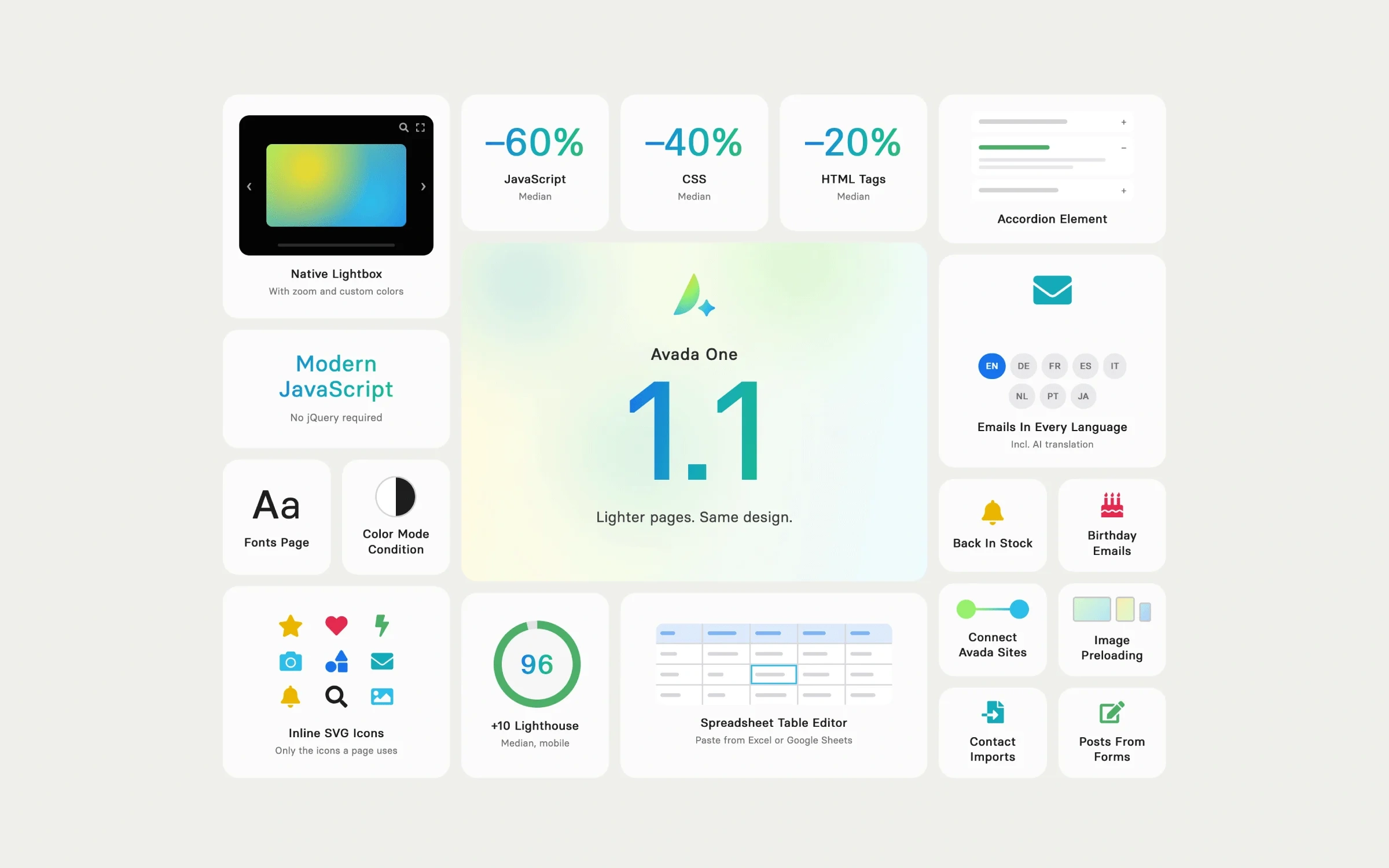
A significantly improved codebase means a faster, leaner setup that makes building websites and seeing tangible results even more of a win than ever. Measured across the Avada prebuilt websites, Avada One 1.1 delivers:
The Lighthouse scores were measured on mobile, using the same engine as PageSpeed Insights. As with any Lighthouse test, scores can move by a few points between runs of the same page.
A Leaner CSS Architecture Loaded Per Page
Avada One 1.1 rewrites the CSS of every Element. Elements now follow one clean, consistent class structure, with outdated selectors and unused rules removed.
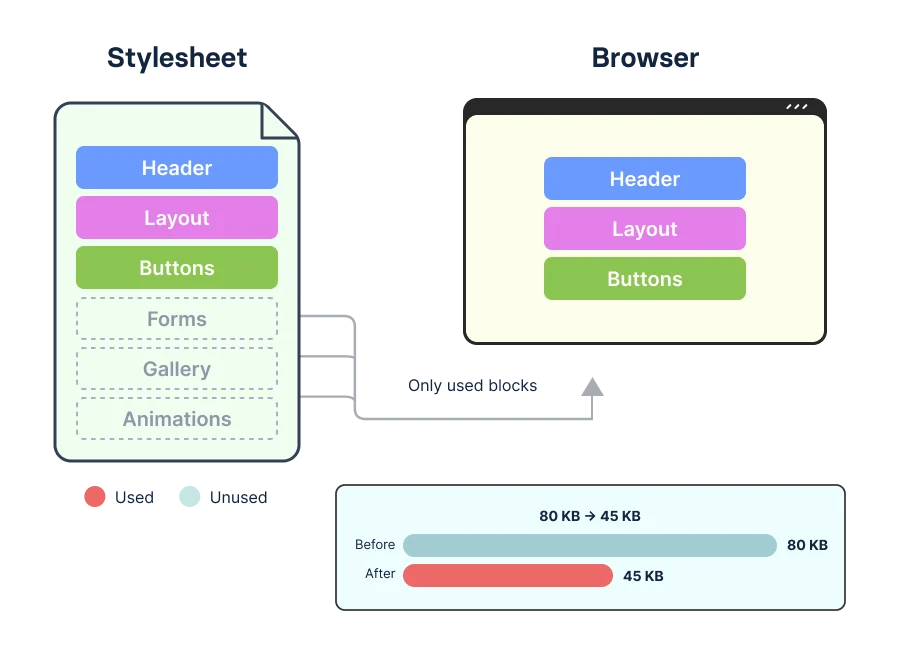
Styles are split by option, so each page loads only the CSS it uses. CSS shared by several Elements, such as carousels, pagination, hover effects, and form fields, loads once. WooCommerce, The Events Calendar and bbPress styles load only where their content appears.
Modern JavaScript No jQuery Required
Every Element and feature script in Avada One 1.1 has been rewritten in modern, native JavaScript. jQuery is no longer loaded on every page, only where a script still needs it, such as WooCommerce or a third-party plugin.
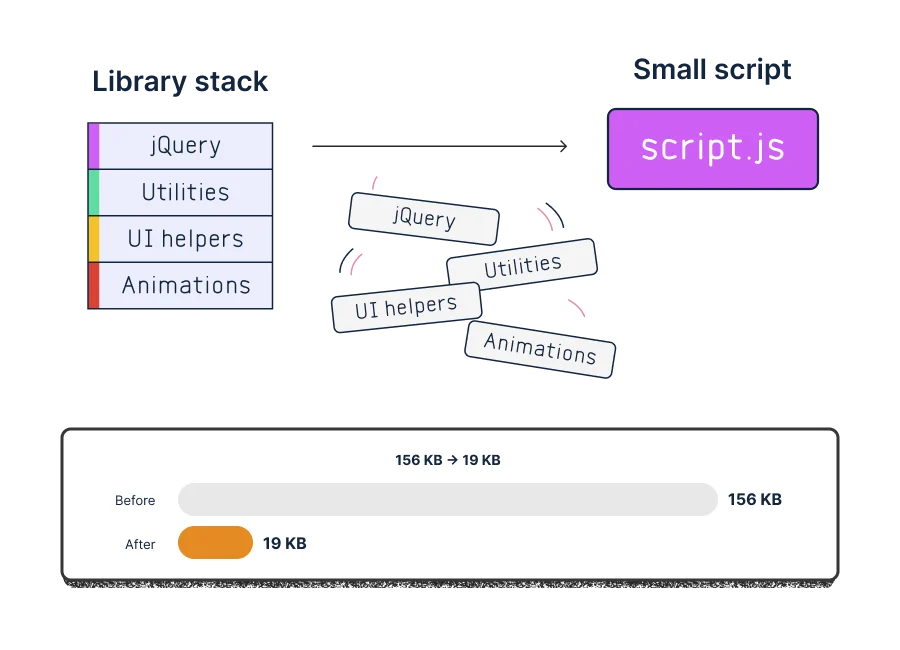
Large scripts, including Off Canvas, Privacy, Tabs, and Post Cards, are now split by setting, so a page loads only the parts it uses. Twelve legacy libraries have been retired and replaced with native browser code:
For custom code or plugins that use jQuery without loading it, a new "Load jQuery On Every Page" option is available under Global Options > Performance.
Atomic Elements Less Markup, Same Design
Containers, Columns and Nested Rows now share one box model and output a single HTML node wherever their options allow. The Title, Text Block, Image and Button Elements drop their extra wrappers: a plain Button is a single link, and a one-paragraph Text Block is just the paragraph.
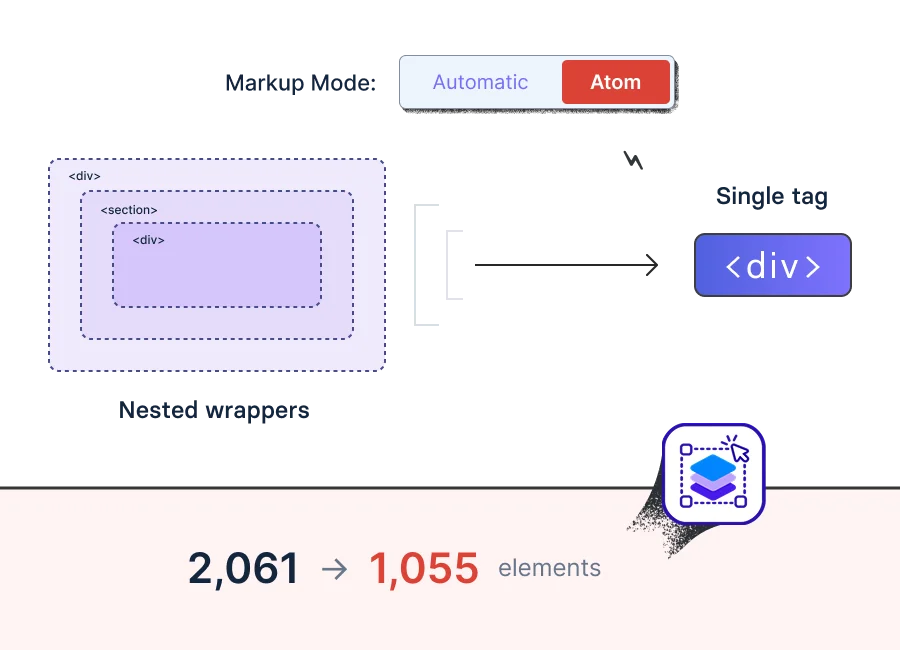
The new Markup Mode option takes this further. Set to Atom, these Elements always output one single HTML tag.
Inline SVG Icons Only the Ones You Use
Icons are now output as inline SVG instead of icon fonts. Each page contains only the icons it displays, rather than loading complete icon font files. Icons render sharply at every size and appear with the first paint instead of popping in after load. Saved icons are converted automatically.
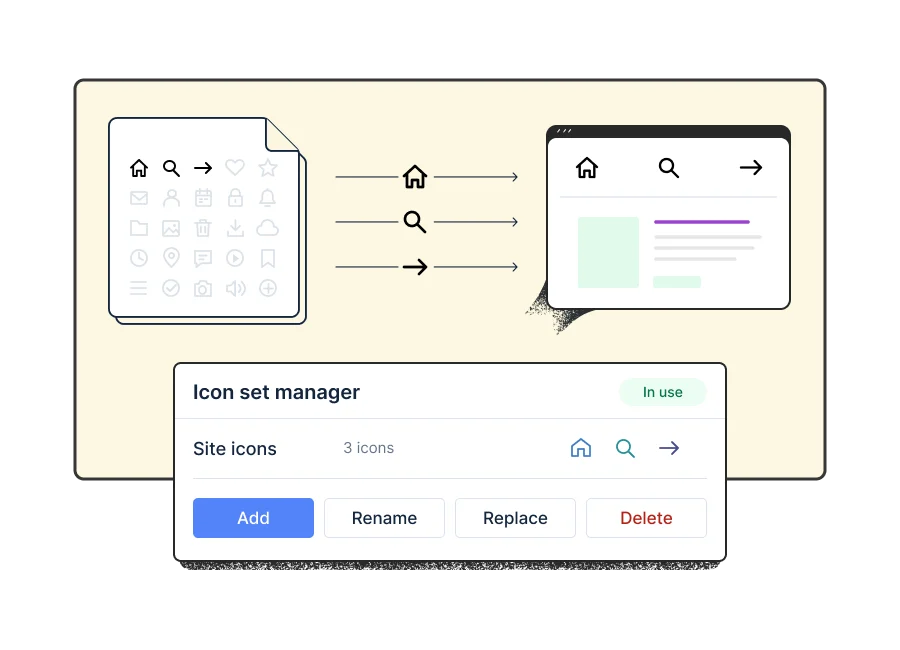
Custom icon sets are now fully manageable. Add icons as SVG files or an IcoMoon ZIP, then rename, replace or delete them, with undo. Icons in use are protected.
A New Home for Fonts
A dedicated Fonts page in the dashboard manages all custom and variable font families in one place, including Google variable fonts. It shows where each font is used and warns before a font in use is renamed or deleted. Existing custom fonts are migrated automatically.
Global Options now preview each typography set during editing. Responsive typography for typography sets, headings, body, and the Title Element has moved from JavaScript to CSS clamp(), so text scales smoothly without any script. Existing responsive typography settings are converted automatically.
A Brand-New Native Lightbox
Avada One 1.1 replaces iLightbox with Avada's own lightbox, built on native browser features. It needs no jQuery and loads only when a page contains a lightbox link.
Choose the slide direction, arrow and caption layouts, and color scheme, including a Custom Colors scheme to match any brand. Visitors can zoom into images, images open at full size even when a smaller size is shown on the page, and lightbox links inside carousels now open with a single click.
Feature Highlights
Spreadsheet-Style Table Editor
The rebuilt Table Element edits like a spreadsheet. Paste directly from Excel or Google Sheets, or import a CSV file.
Toggles Become the Accordion Element
The Toggles Element is now the Accordion Element, rebuilt on native markup with improved accessibility. New options include Keep One Item Open, Update URL, Scroll To Opened Item, and open and close speeds, also available for the FAQ Element.
Connect Avada Sites
Send contacts to other Avada sites, and import Global Options, Layouts, Forms, Library items, and more.
Emails in Every Language
Create language versions of emails, including AI translation, so each contact receives the email in their own language.
Import Contacts and Emails
Import contact lists from CSV, MailPoet, Mailchimp, FluentCRM, and The Newsletter Plugin, and import emails from MailPoet, FluentCRM, The Newsletter Plugin, Mailchimp, and HTML files, all with undo.
Create Posts From Form Submissions
The new Create Post form action turns submissions into posts of any post type, including ACF field mapping. The new Rich Text form field lets visitors format their answers with bold, italic, lists, and links, and works naturally alongside the Create Post action.
Back In Stock Notifications
Customers can sign up for out-of-stock products and are emailed as soon as the product is available again.
Image Preloading Per Breakpoint
A new Preload option on the Image Element, Containers, and Columns loads the right hero image first on every screen size, for a faster load.
One Set of Options for Containers, Columns & Nested Rows
Columns get all Container background options, Containers get hover colors, and Nested Rows get backgrounds, layers, borders, shadows, filters, animations, and more.
View Content in Light or Dark Mode
A new Color Mode condition in the dynamic display options shows or hides content per color mode. The Switch Element gains a Color Mode control.
Birthday Emails
Contacts get new Birthday and Country fields, and a Birthday Email goes out on the day.
Summary
This Avada One release builds a faster foundation for every page and post by boosting overall performance with significantly improved JS, CSS, and HTML. Pages are lighter and faster.