Managing Your Avada Sites
Last Update: October 14, 2026
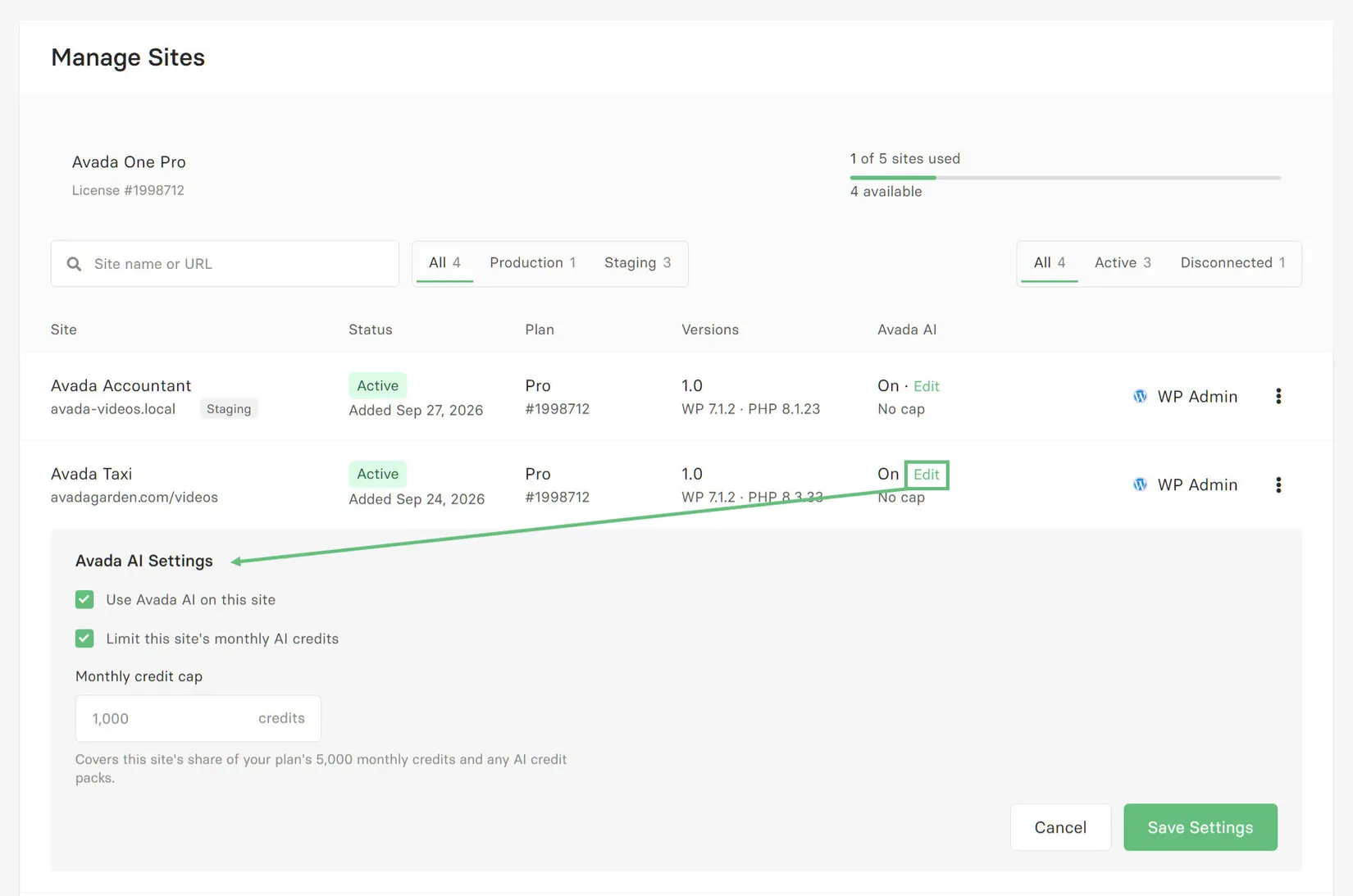
You can manage your Avada sites on My Avada on the Manage Sites page. Sites are added to this list when they are first connected with My Avada after installation. Here, you can see relevant information about each of your connected Avada sites, and manage them in various ways.
As you can see in the screenshot below, you can see your Avada Subscription in the top left corner, and an indicator of how many sites you have used on the right. Only production sites are counted in this, as staging sites are allowed for each site as well. In the situation below, you can see that three of the sites are marked as staging as they are local installs.
In the row below this, you can search for a specific site name or URL, and you can filter between Production and Staging sites, and Active and Disconnected sites.
The site rows show the site name, URL and Status, as well as the Plan the sites are conntected to, the Avada, WordPress and PHP version used, and a column for the AI Credits. See below for how to manage these.
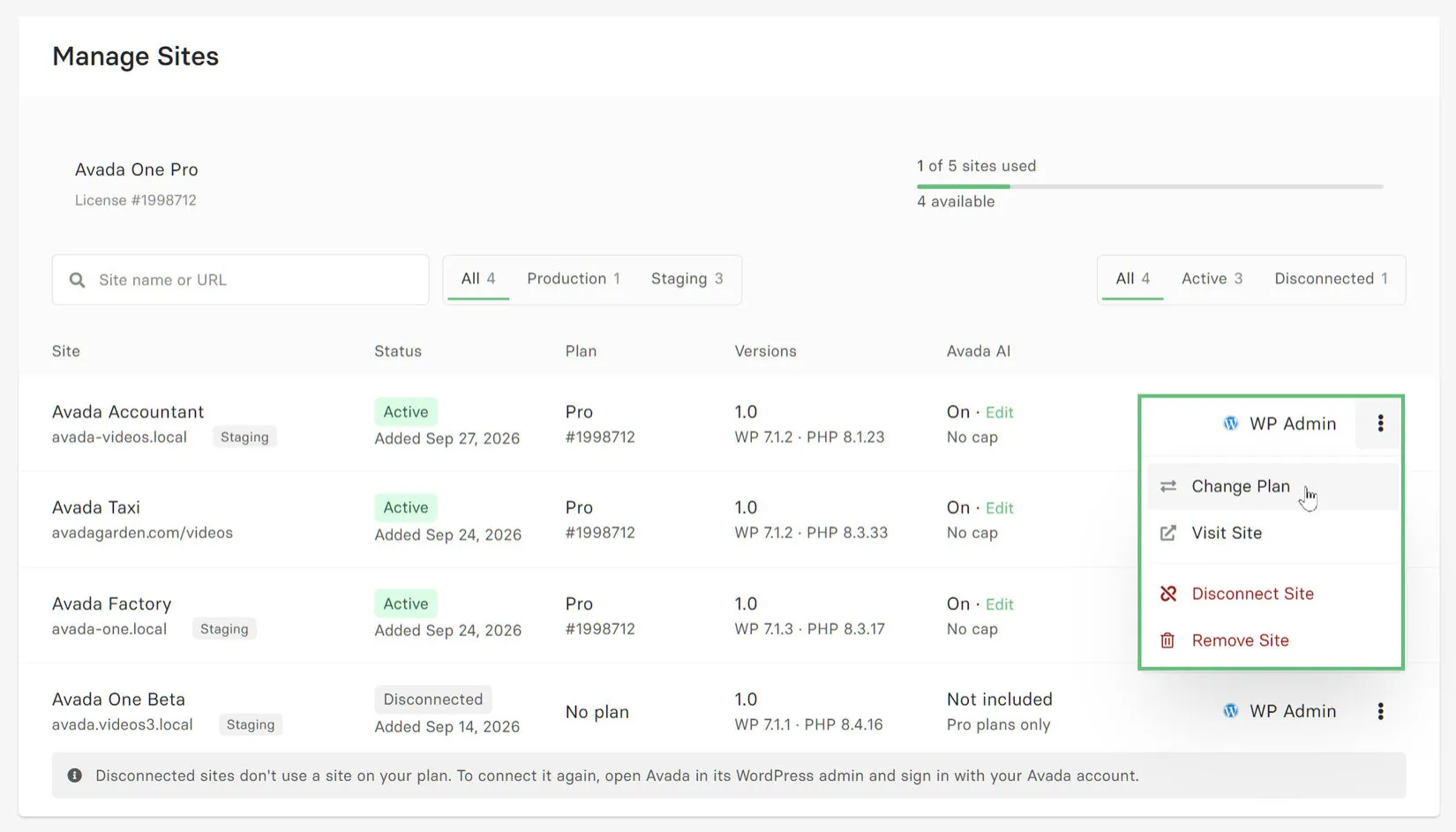
In the drop down menu activated by clicking on the three dots next to the WP Admin label for each site, you can change the plan the site is attached to (if you have multiple suibscriptions), you can visit the site, disconnect the site, which just removes it from the plan as you can see for the last site, or you can entirely remove the site from My Avada (this does not remove the site itself). As the note at the bottom says, disconnected sites don’t use a site on your plan. To connect it again, open Avada in its WordPress admin and sign in with your Avada account.
Managing AI Credits
You can also control and distribute your Subscription AI credits amongst your sites. In the Avada AI column, you will see if the AI credits are included for the specific site. If they are On, you can click on Edit, and adjust this. The options are to Use Avada AI on this site, and you can also Limit this site’s monthly AI credits.