How To Use the Privacy & Consent Element in an Off Canvas
Last Update: June 2, 2026
A very useful way to present the Privacy & Cookie information coming from the Privacy Consent Tools options of your Global options, is to use the Privacy & Consent Element in an Off Canvas. This can be triggered however you wish, for example, on page load, or 3 seconds after page load etc.
This could also be used in conjunction with a Privacy & Consent Bar, and the Privacy & Consent Element on a page. Whatever combination works for you. Read on for more details, and watch the video below for an example of a two Off Canvas privacy and consent implementation.
Designing Your Off Canvas
There are no real limitations with the design of you Off Canvas. It could be a Popup or a Sliding Bar, and you can style it any way you want. You populate it with the Privacy & Consent Element, and configure that how you want.
There are some considertations to make when it comes to forcing user behaviour though. For example, on the Close tab, you might want to set all options to No, so as to force users to interact with the Cookie buttons, such as Accept All, Reject All, Confirm My Choices etc. This would also interact with your selection in the Privacy & Consent Interaction Behavior option (see below).
Also with Triggers, there are several ways this Off Canvas might be triggered, such as On Page Load, or Time on Page for example.
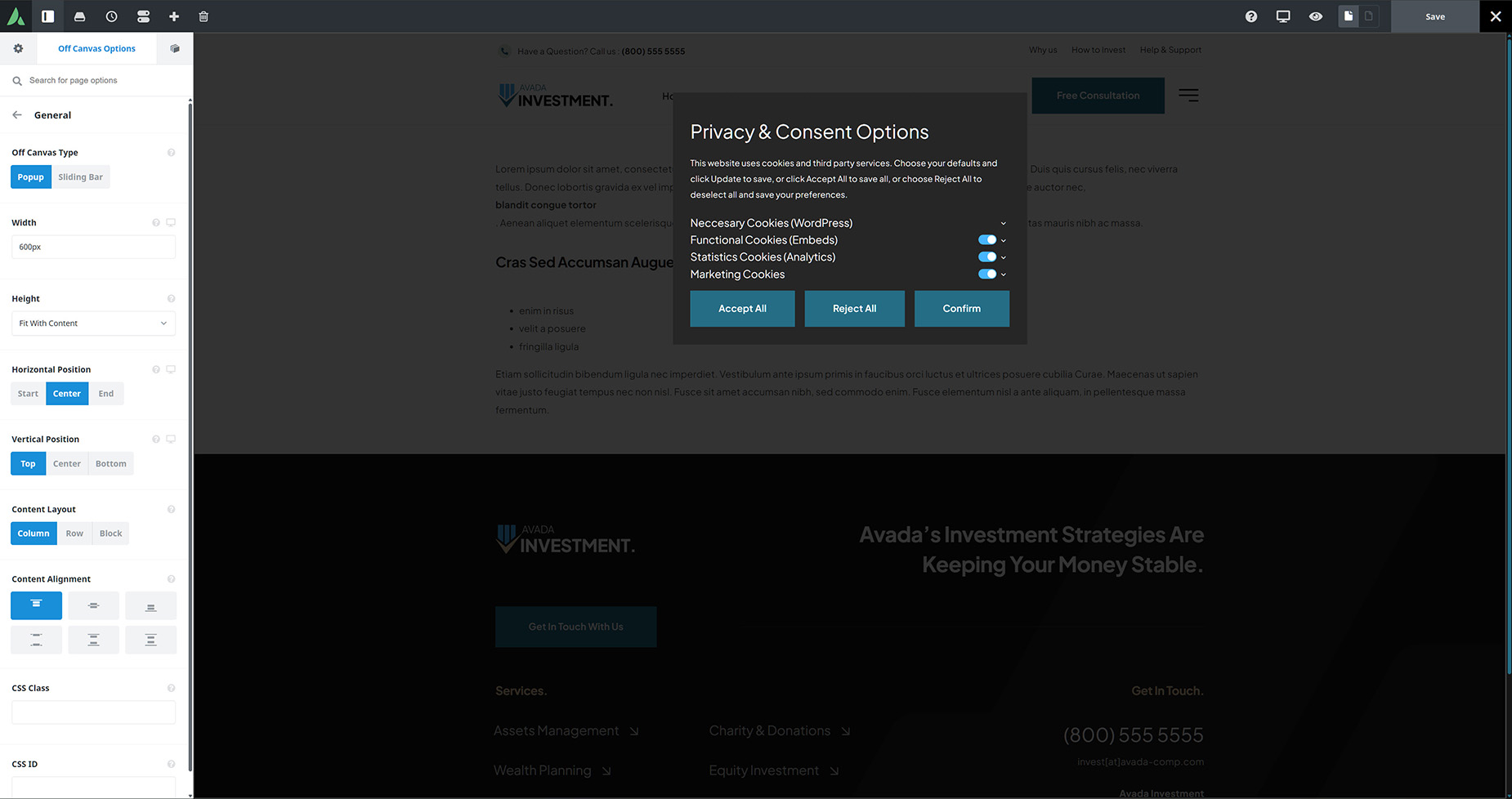
Specific Off Canvas Options
There is also a very relevant Off Canvas option that needs to be considered when using this method. This is found in the Rules tab, and is the Privacy & Consent Interaction Behavior option. There are three choices available here: