
Conditional Rendering vs Visibility Options in Avada
Last Update: May 14, 2026
If you’re an Avada user, you will most likely be familiar with Avada’s visibility options, which let you choose whether a Design or Layout Element appears on mobile, tablet, or desktop. While useful for quick design tweaks, visibility options simply hide the Elements with CSS — meaning the Element still loads in the background, images and all.
Avada Conditional Rendering, on the other hand, works differently: it prevents the Element from being added to the page in the first place. No HTML, no images, no scripts. For lightweight design changes, visibility options are fine, but for above-the-fold website performance, Conditional Rendering is the smarter choice for building responsive website layouts because it prevents unnecessary content from ever reaching the visitor’s browser.
Avada Visibilty Options
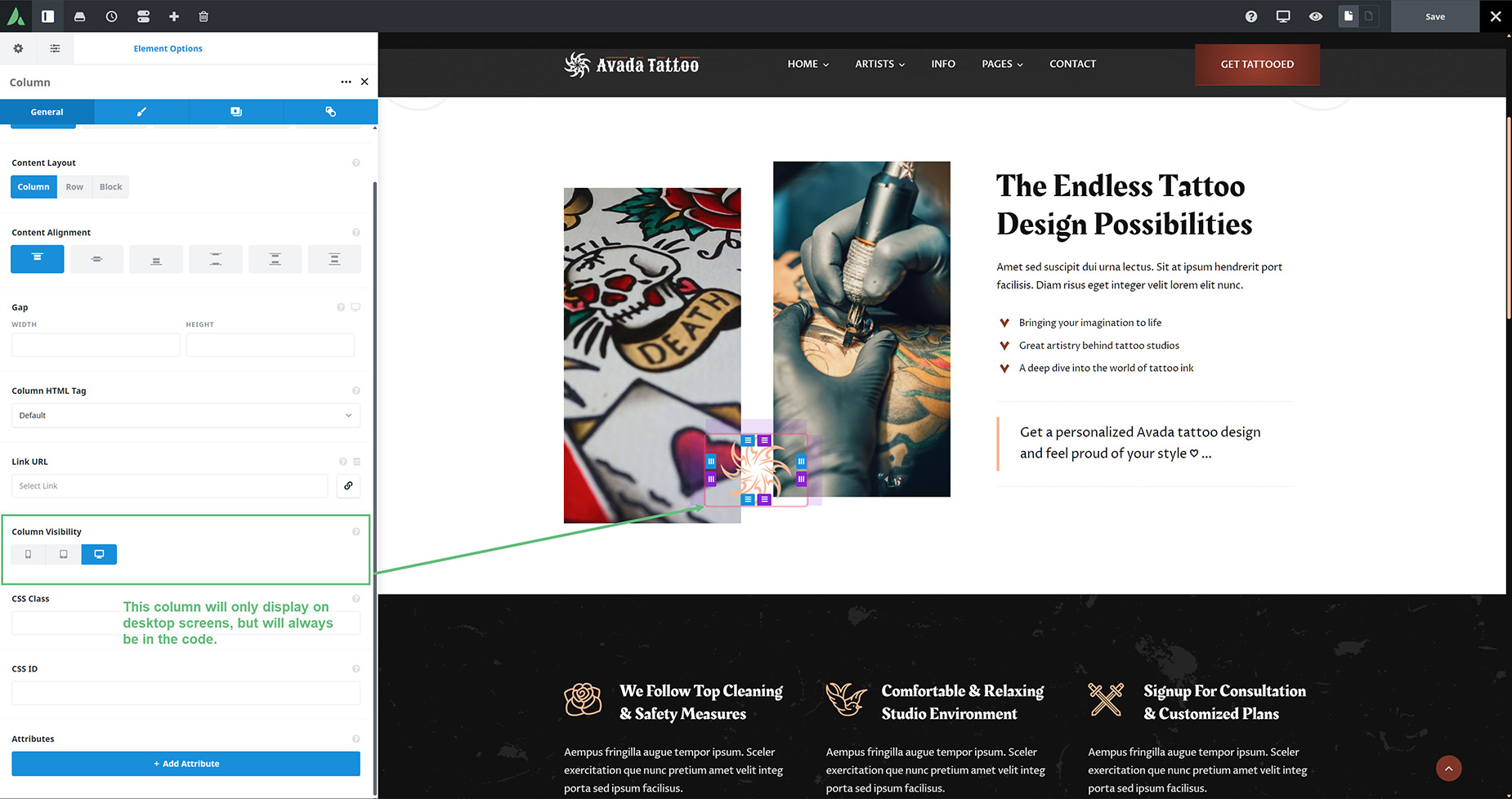
The Element Visibility option is found on all elements, including columns and containers. So, when you hide an element or a section on a specific screen size, you’re not removing it; you’re just hiding it with CSS. So the content still loads. The browser still processes everything. It’s not necessarily as efficient as the page can be in terms of code loading, but it is convenient and predictable. And because every visitor gets the exact same HTML, it’s completely safe to cache, even with full-page caching.
This method is often used in header Layouts, where a column or container is duplicated and then hidden on desktop and tablet, while the original element is hidden on mobile. This way, a separate column or container can be designed just for mobile.
Avada Conditional Rendering
Now Conditional Rendering works differently. This is also found on all elements, on the extras tab, and one of the conditions it can render on is based on device type.
Using this condition to render content based on screen size is very efficient. It doesn’t hide content; it prevents it from being rendered in the first place. If a condition isn’t met, that section simply doesn’t exist. No markup and no unnecessary assets, which is great for performance.
Device-type conditional rendering is superior performance-wise for uncached sites, or for sites using asset caching and/or object caching.

Guidelines
So there is not one right workflow, as it depends both on your view on hiding content on some screen sizes, and potentially paying a small performance hit, or having full-page or HTML caching correctly configured to handle conditional rendering.
Generally, conditional rendering is a better approach especially for heavy components, like sliders, videos or other components you don’t want on mobile. And Element visibility is fine for small responsive changes and lightweight elements.
Don’t hide everything by default. But don’t conditionally render everything either. Use the right tool for the job.


















































































































