Share
Artificial Intelligence (AI) is doing more than making it possible to produce web content faster. It’s changing how people discover, evaluate, and pick brands online. Search engine results pages (such as Google) now display direct answers as a summary at the top of the page, which is convenient for people searching for information, products, services, or whatever is important to them.
In the past, ranking at the top of the search engine results page was all about page rank, content volume, and keywords/phrases to beat your competitors. In 2026 (and beyond), it’s about offering substance, building trust, and being genuinely relevant. Let’s take a bird’s eye view of what may lie ahead.
Overview
What is Artificial Intelligence (AI)?
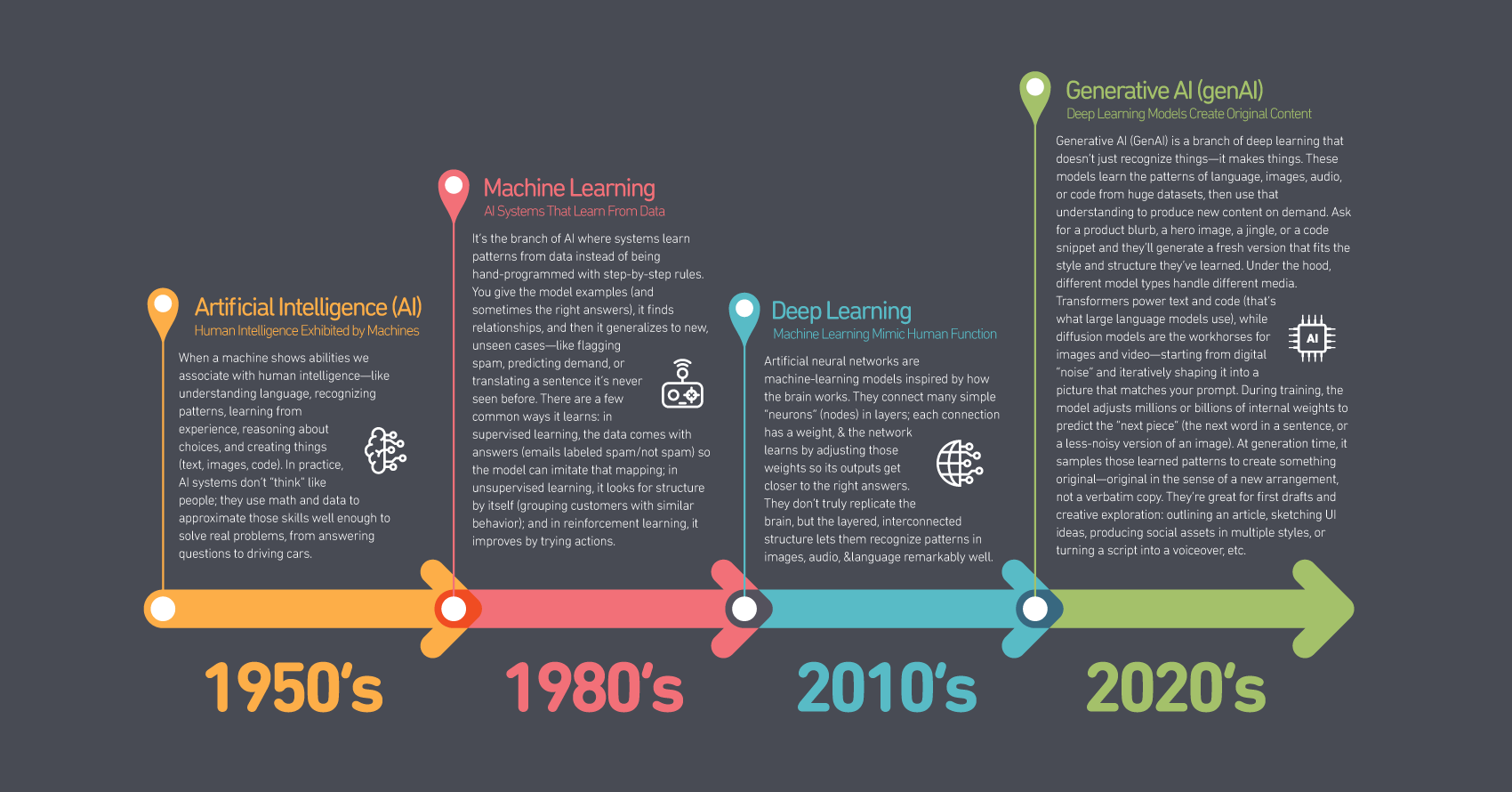
Artificial Intelligence (AI) started as the attempt to build machines that can perceive, reason, and act well enough to handle tasks we usually associate with human intelligence—understanding language, recognizing patterns, making decisions, and creating things. In practice, that means writing software that either follows explicit rules or, more powerfully today, learns them from data. The modern view treats intelligence as a set of competencies that can be approximated with algorithms, statistics, and computation rather than a single, mystical entity. Since the 1950s, machine learning has evolved.
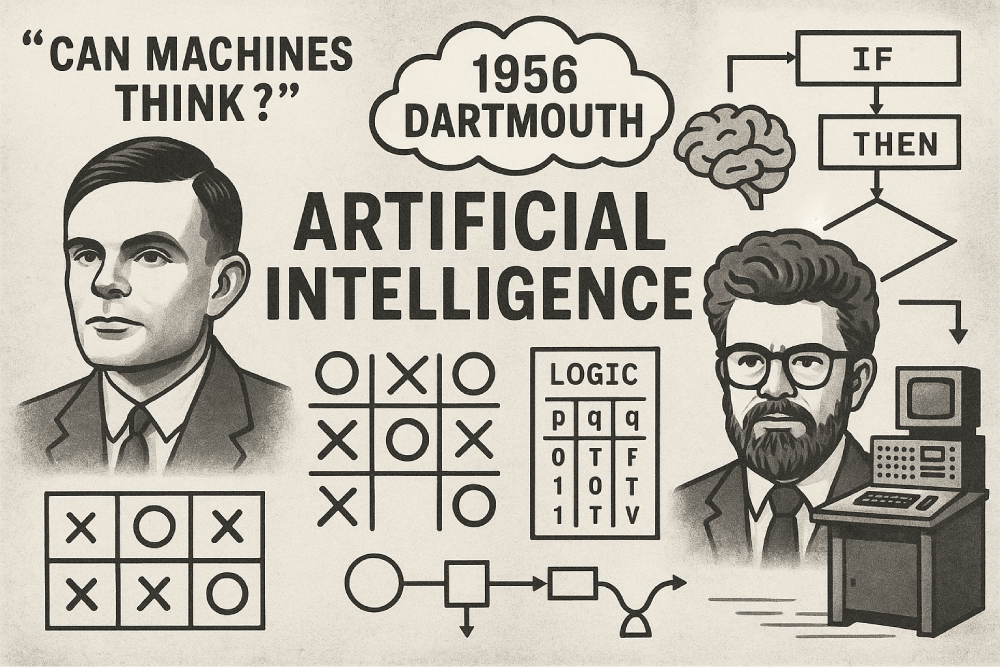
The roots of machine learning stretch across mathematics, philosophy, and early computing. In 1950, Alan Turing posed a question: “Can machines think?”–(introduced a test, The Turing Test, originally called the imitation game)—which framed intelligence as something we could test rather than debate. The field took formal shape at the 1956 Dartmouth workshop, where John McCarthy and colleagues proposed that aspects of learning and reasoning could be precisely described and simulated. Early systems were symbolic: they manipulated logic and hand-coded rules to play games or solve word problems. Those brittle successes ran into the real world’s messiness, leading to cycles of optimism and “AI winters.”
As data and computing power have grown (Moore’s Law), the center of gravity shifted to machine learning—programs that infer patterns from examples. Neural networks moved from a niche idea to the mainstream when deeper architectures, massive datasets, and faster chips delivered breakthroughs in vision and speech, and later language.
The transformer model, seen as the foundational architecture for modern large language models (LLMs) such as those powering ChatGPT and Google Translate, introduced in 2017 research paper titled “Attention Is All You Need”, unlocked today’s large language models (LLMs) and generative systems (genAI), which don’t just classify or predict but also produce text, images, audio, and code that feel strikingly human—and at speed.
Essentially, AI isn’t a single invention; it’s a long-running, distributed project to formalize intelligence in code—starting with logic and rules, maturing into learning from data, and now accelerating with generative models that can create and adapt in open-ended ways.
Hierarchy: Six Levels of AI Capability
Below is a proposed capability hierarchy scaffold. It’s not a standard like ISO or an official hierarchy; it is, however, a visual representation to help those who are not familiar with how and where AI fits into the grand scheme of things and the unavoidable progression toward AGI (Artificial General Intelligence).
Where Do You Fit In? Content Creators, SEO, & WordPress
If you are a web designer/developer, a marketer, SEO, part of a sales team, or a WordPress plugin developer, where does your workflow fit into the AI hierarchy?
Scope: Generative AI vs. Autonomous AI
Generative AI Explained
Think of Generative AI as a very fast, very talented creator that works with you. ChatGPT is a good example of a Generative AI assistant: you give it a prompt, it drafts something—words, images, code, or audio—and you decide what to keep, edit, or throw away. Its scope is narrow and requires direct human interaction to produce an output that fits your instructions. It doesn’t keep pursuing a goal after the response, and it doesn’t act in the world unless you tell it to. They accelerate your work but still depend on your judgment for accuracy, creativity, and ethics.
Autonomous AI Explained
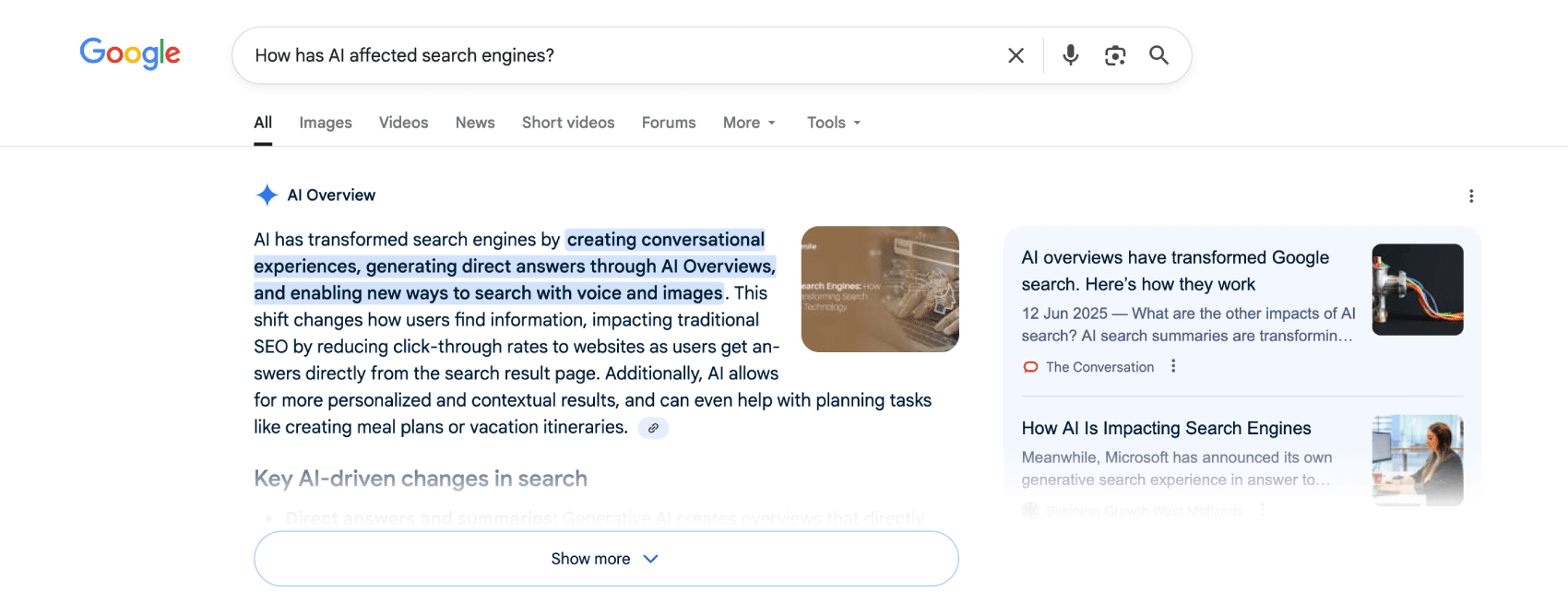
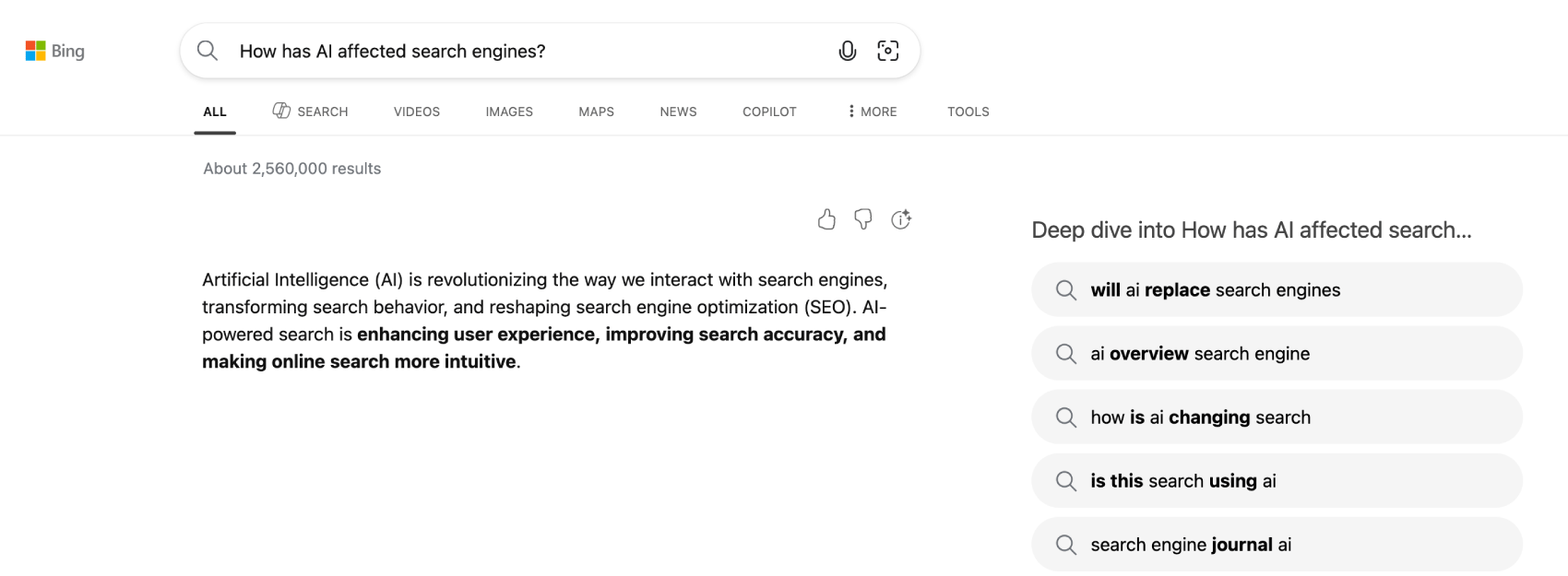
Autonomous AI is goal-driven and ongoing, and modern search engines are a good example of it. When you search on Google or Bing, there’s far more happening than a one-off summary. Behind the scenes, AI systems decide which documents to crawl and index, predict intent from your wording and context, retrieve and rank candidates, check quality and safety, and then assemble a page that balances usefulness with policies and performance targets.
If an AI Overview or Copilot answer appears, that generative blurb is just one layer. The autonomous system has already chosen sources, verified constraints, blended signals (freshness, authority, diversity, location), and will keep learning from aggregate behavior to adjust what it shows next time. In short: generative AI writes the answer; the search engine’s autonomous AI orchestrates the entire journey to deliver the correct answer—from discovery to ranking to presentation—continuously and within strict guardrails.
The AI Factor: Assistance vs. Influence
One of the intentions of this article is to take a clarifying look at how information is being reshaped and presented to attract user attention, vs. how the importance of information relevance, presented in a conversational format, can influence user response. Regardless, Generative AI (genAI) is reshaping how people search for and act on the information they encounter.
Generative AI as an Assistant – L1 & L2
If you manage a website or work in marketing or SEO (Search Engine Optimization) as a conduit to generate sales leads and conversions, you probably remember a time when publishing lots of content and stuffing in keywords and key phrases into blog posts and page content was one of the key ways to boost PageRank (PR) to rank higher in search engine results (SERP’s).

With the advent of Generative AI (genAI) as a workflow assistant, individuals and teams around the world have begun using genAI to generate content for websites, products, and services online at greater volume and speed. Naturally, this is leading to the mass proliferation of similar-sounding content, making the web feel somewhat crowded. It is, however, a game-changer for increasing productivity and output.
Autonomous AI As An Influence – L5
Suppose you are in the business of influencing user behavior. In that case, search engines such as Google (using Google AI Overviews) and Bing (using Copilot) are now answering simple questions right on the search results page, often as the top result at the top of the page. Exactly how their respective systems models are configured will always remain a mystery; however, what is known is that Google (AI Overviews) and Bing (Copilot) answers are built on generative large language models (LLMs) that generate text, thereby considered Generative AI.

These models don’t free-write from scratch; they use retrieval-augmented generation (RAG)—pulling info from search results (for example), then generate a summary with citations, plus safety/ranking layers. Traditional snippets/knowledge panels mainly extract or quote. These features compose new text, explicitly tailored to your query with the intent to influence your decision-making.
What AI Means for SEO & Design in 2026
AI has changed how SEO works and what shows up on the results page, and why. Google’s AI Overviews (powered by Gemini) now synthesize answers for many queries before you ever click. Microsoft’s Copilot Search does the same on Bing. For multi-step or straightforward questions, these features pull from multiple sources, summarize, and link out—so quick lookups often end on the SERP instead of your site. Expect fewer shallow visits and a higher share of visitors who arrive with real intent.
Because AI can mass-produce “relevant” content, Google has leaned harder into quality controls. The March 2024 core update and new spam policies target scaled, low-originality publishing, expired-domain tricks, and site-reputation abuse (e.g., third-party content riding on a trusted domain). Google has continued clarifying that policy through late 2024 and early 2025, reinforcing that originality and usefulness—not volume—win.
Under the hood, Google focuses on “people-first” content using E-E-A-T, a framework outlined in Google’s Search Quality Rater Guidelines: Experience, Expertise, Authoritativeness, and Trustworthiness. These guidelines point in the same direction: show real experience, cite sources, and deliver genuinely helpful answers on pages that are fast, accessible, and easy to parse. In short, you’re writing for people, but you’re formatting for machines.
Google’s E-E-A-T Framework Explained
Google uses human evaluators to focus on four key factors when judging whether a web page or website is helpful and reliable. The idea is to keep search results full of content that real people can trust, ensuring Google’s results provide high-quality, reliable, people-first content.
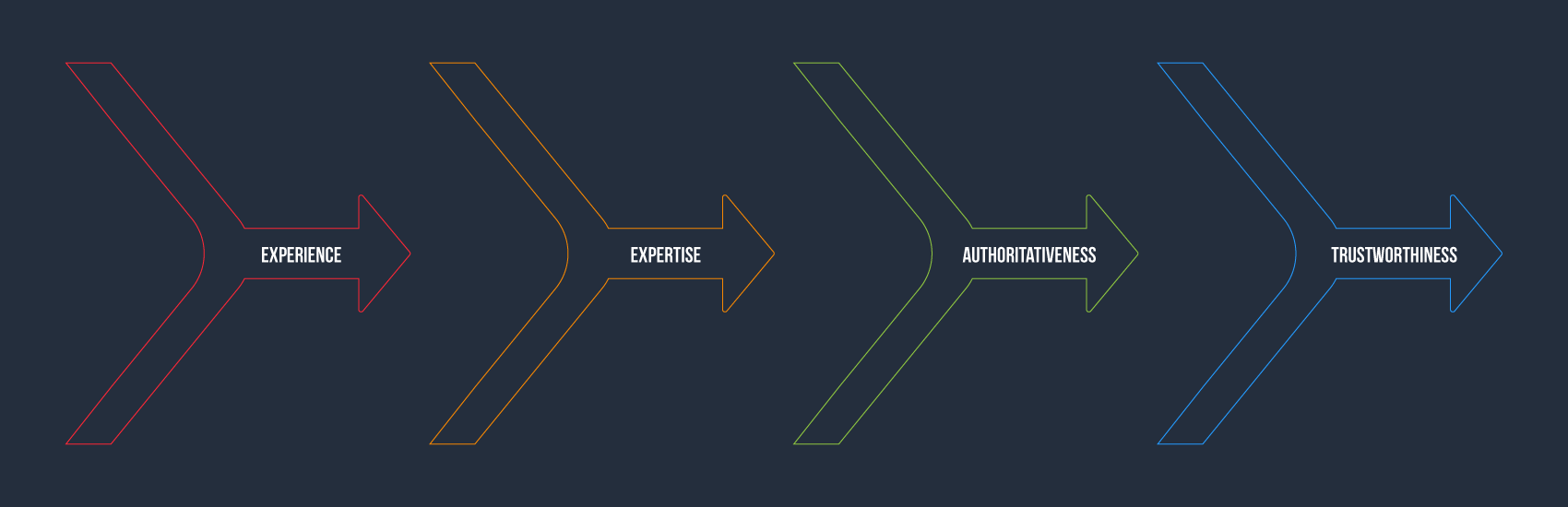
The E-E-A-T framework isn’t a single on/off ranking factor. But the spirit of it—real experience, genuine expertise, recognized authority, and earned trust—which aligns with what Google aims to reward, especially on sensitive “Your Money or Your Life” topics where bad information can do real harm.
Experience
This is Google asking, “Have you actually been there?” Content lands differently when it’s written by someone who’s used the product, tried the steps, or lived through the situation. A camera review that includes the writer’s own test shots, quirks they bumped into, and what changed after a month of use tells a richer story than something stitched together from specs. First-hand detail is the texture that signals, “you can trust me; I’ve done this.”
Expertise
Expertise is the depth behind the words. Sometimes it’s formal—medical advice from a clinician, tax guidance from a qualified professional. Other times, it’s the kind of mastery you build through years of practice: the hobbyist who has rebuilt twenty vintage bikes and can explain the mistakes most people make on the first attempt. What matters is that the knowledge is real, current, and appropriate for the topic at hand.
Authoritativeness
Authoritativeness is about standing in the wider community. Do other reputable voices point to you, cite your work, or invite you to weigh in? A site earns this over time by publishing reliable content and being referenced by trustworthy sources—such as industry groups, respected publications, and well-known practitioners. It’s less about self-proclaiming “we’re the best” and more about a track record others recognize.
Trustworthiness
Trust is the foundation on which everything else sits. Readers should feel safe and informed: clear author names and bios, easy-to-find contact details, transparent policies, and content that’s accurate, up to date, and honest about limitations. Technically, that also means basics like HTTPS, no shady pop-ups, and a clean experience. If people feel they can rely on you—and your pages prove them right—that trust shows.
What E-E-A-T Means For Web Design
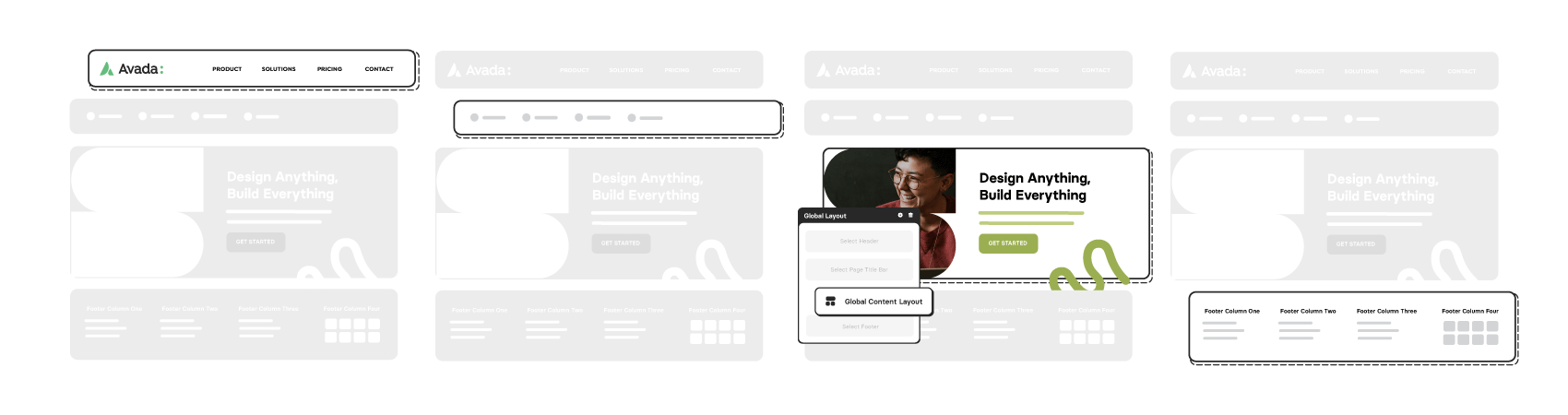
Google makes it clear that creating helpful, reliable, people-first content is key. In simple terms, build fewer, better pages that fully satisfy intent. Designers can’t fake those—but we can make them obvious. Think of your layouts, components, and microcopy as the stage lights that help users (and search engines) see quality at a glance.
Experience: Show You’ve Actually Done the Thing
Design for “proof, not promises.” On article and product pages, give readers tangible evidence of firsthand use—original photos, short demo clips, “what we tried” callouts, sample data, and before-and-after outcomes.
Add small details that only come from real use (quirks, gotchas, trade-offs) and make them scannable with subtle callouts. A compact “Tested by [Name]” badge near the headline, plus a “How we tested” section in the footer, turns lived experience into a design element.
Expertise: Make Qualifications Effortless to Verify
Don’t bury credibility in an About page. Place a byline block with the author’s name, role, and one-line credential right under the title, and link to a richer bio. For sensitive topics, include a “Reviewed by” line with the reviewer’s credentials and the date it was checked.
Use a clean “Last updated” stamp that leads to a brief changelog, so readers know what changed and why. These small patterns say, “A real expert stands behind this.”
Authoritativeness: Let Your Reputation Stand Out
Add a compact “As cited in” strip with recognisable logos (or a simple text list) where you’ve been referenced. Place citations and sources in a tidy, expandable section—easy to skim, easy to verify. On product or case-study pages, include named client quotes (with permission) and link back to the client or publication when possible.
Trustworthiness: Remove Doubt With Calm, Clear, & Accessible UX
Trust is something your website should encourage. Prioritise readable typography, fast loads, stable layouts, and accessible patterns (labels, alt text, keyboard flow). Keep ads and affiliate disclosures obvious but unobtrusive. Put contact options, policies, and pricing where users expect them—header/footer and relevant sections—not hidden behind modals.
Use honest microcopy on forms (“We’ll email you once, no spam”) and show security cues like HTTPS, payment trust marks, and a clear returns or complaints path. If AI helped draft a page, a simple note—“Written with AI assistance and reviewed by [Name] on [Date]”—builds confidence rather than eroding it.
AI: Benefits & Downsides
Summary
AI will keep lowering the cost of generating content. Your advantage isn’t volume; it’s point of view plus proof and accuracy. Use AI to speed up your workflow and increase productivity, not to abdicate it, and let your team decide what’s worth saying—and back it with the kind of evidence no generic model can fabricate. That’s how your site earns attention, trust, and results in the AI era.