Making a WooCommerce Quick View with a Dynamic Off Canvas
Last Update: December 15, 2025
Making a WooCommerce Quick View with a dynamic Off Canvas uses the same method as highlighted in the How to Create a Dynamic Off Canvas for Post Cards document and video. The basic difference is what you add to the Off Canvas. Read on to find out more, and watch the video below for a visual overview.
Step 1: Create Your Dynamic Avada Off-Canvas
The first step is to create your Off-Canvas. For this document, we will use the example of adding WooCommerce QuickView content into an Off-Canvas by way of Dynamic Data. See the How To Use The Avada off Canvas Builder document for more basic information on how to create an Off Canvas.
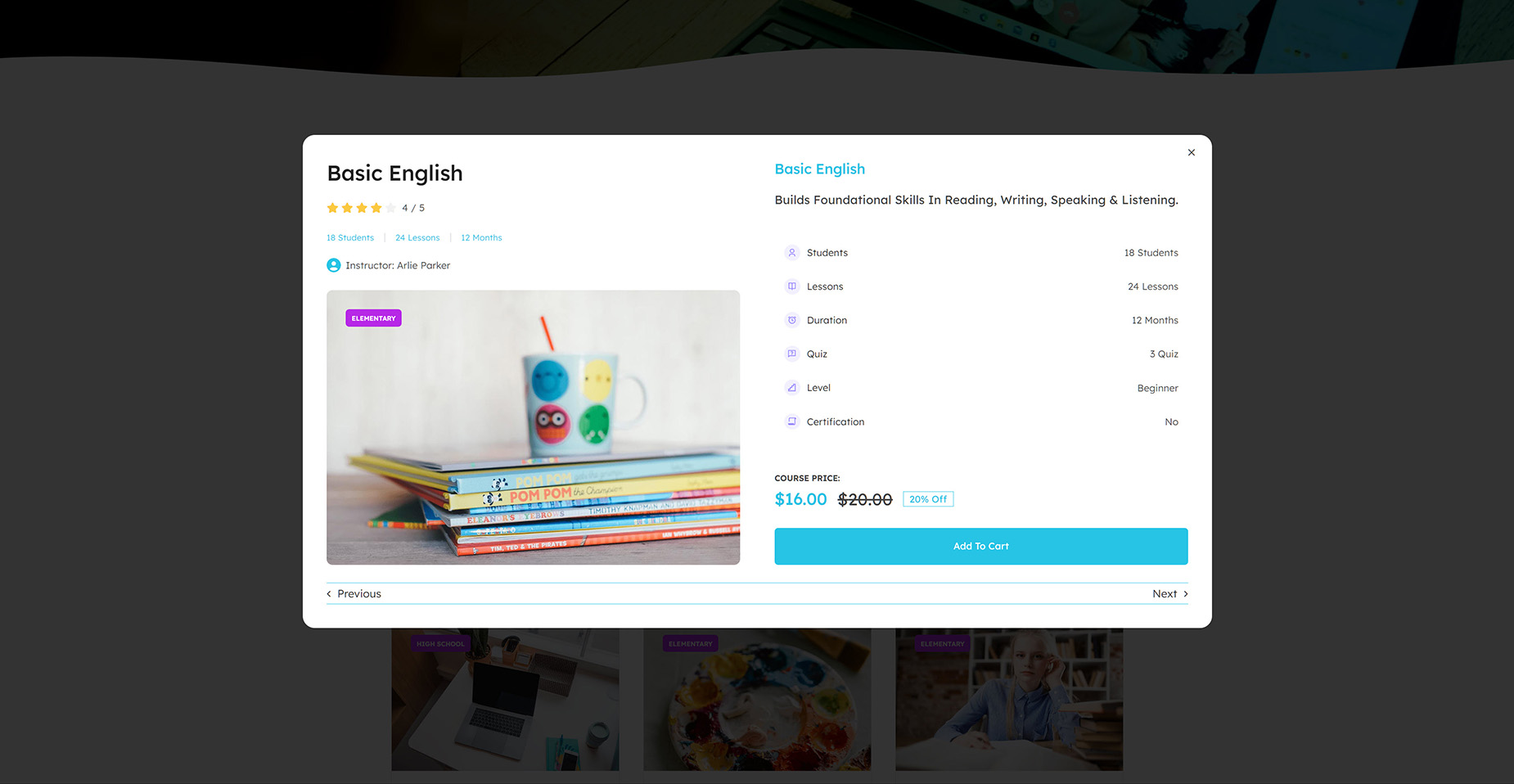
The Off-Canvas should only be populated with generic and dynamic content, pulling the data endpoints from the post type the Post Cards are displaying. So in this instance, we want to pull relevant product information, such as the Product Title, the Short Description, the Featured image, the Price, a bunch of product attributes, and an Add to Cart button etc.
As can be seen in the screenshot below, for this example, the Off-Canvas is pulling

Step 2: Link Your Off-Canvas to the Post Card
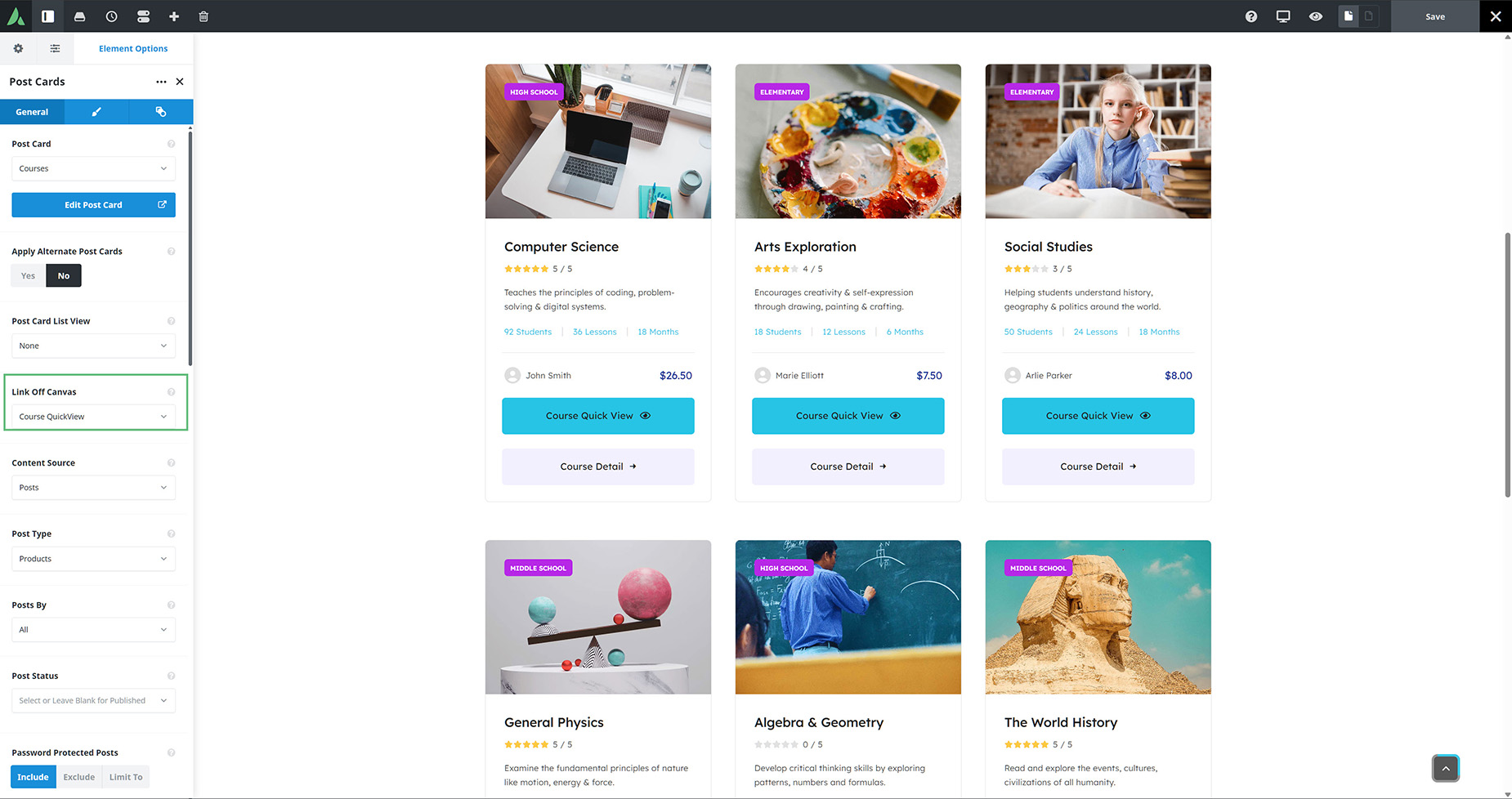
Once you have completed your Off-Canvas, the next step is to link to your Off-Canvas from the Post Cards Element. This is done via the Link Off-Canvas option on the General tab. Just choose your Off-Canvas from the list.
Step 3: Trigger Off-Canvas inside an Avada Post Card
You also have to edit your Post Card to establish a trigger for the Off-Canvas. The easiest way to do this is by using an Avada Button Element with the Open Off-Canvas dynamic content. Again, choose your Off-Canvas.
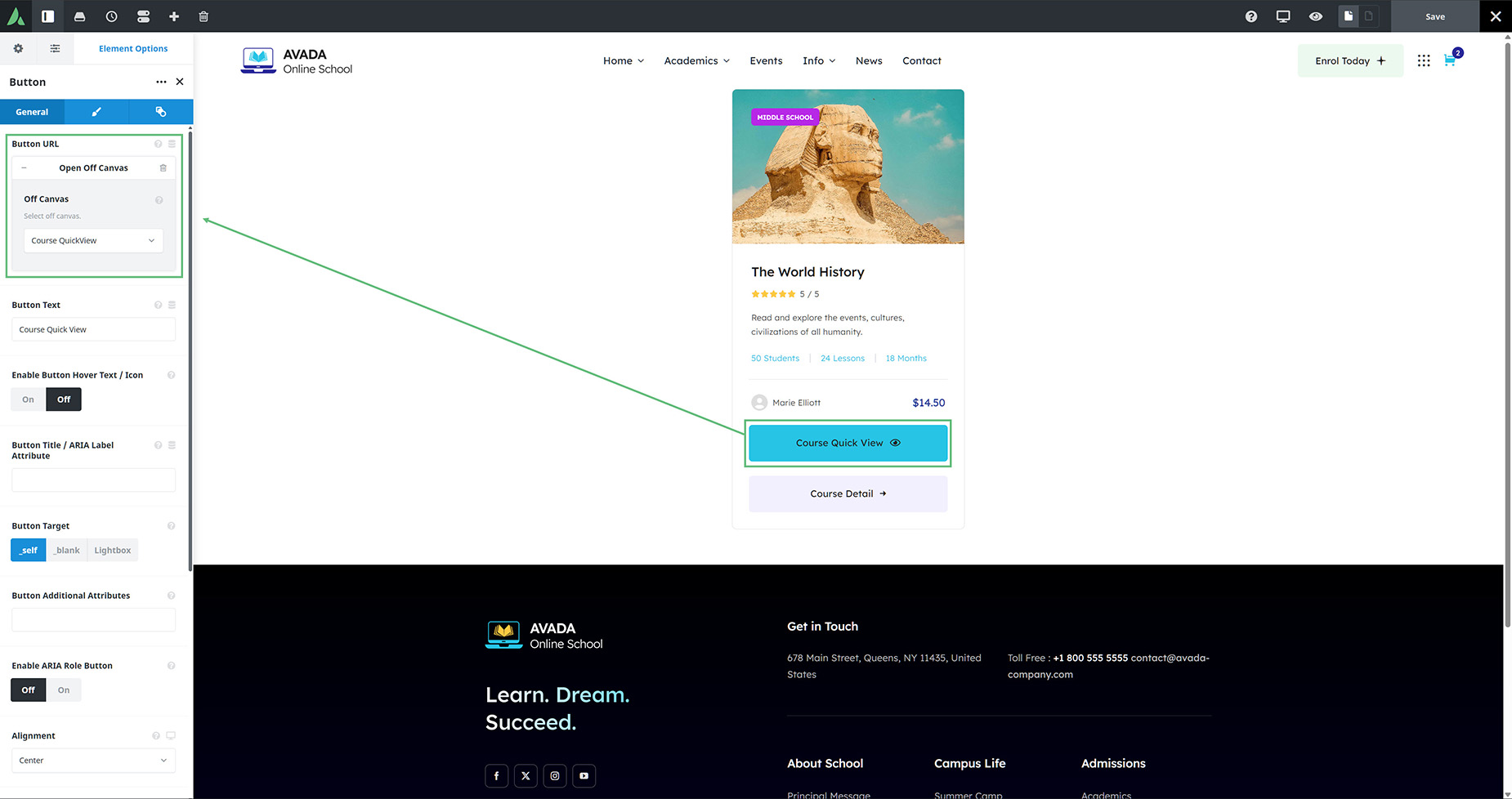
Open Off-Canvas
So now, when you are on the front end and click on your trigger button on any Post Card, the Post Card will open the Off-Canvas, which in turn will pull the dynamic data for the product in question. All the while, the user stays on the same page.