

Avada Logo
Avada Design Elements

Time Field

The Avada Time Field Element allows users to select or type a time, perfect for scheduling or appointments, with customizable steps, formats, and visual consistency.

Avada Forms Time Field Featured Image

Precise Time Input

The Element enables website visitors to select or enter times in a uniform format.

Configure Intervals

Easily define minute intervals (e.g., 15-minute steps) for an optimal experience.

Styling & Placeholders

You can customize the display typography & placeholders for visual consistency.

Avada Time Field Element Examples

The Avada Time Field Element enables users to select or enter a time value using a time picker or manual entry, making it ideal for appointments or scheduling. You can set default times, intervals (in steps of minutes), placeholder values, and style typography and input appearance to ensure a uncluttered user experience.
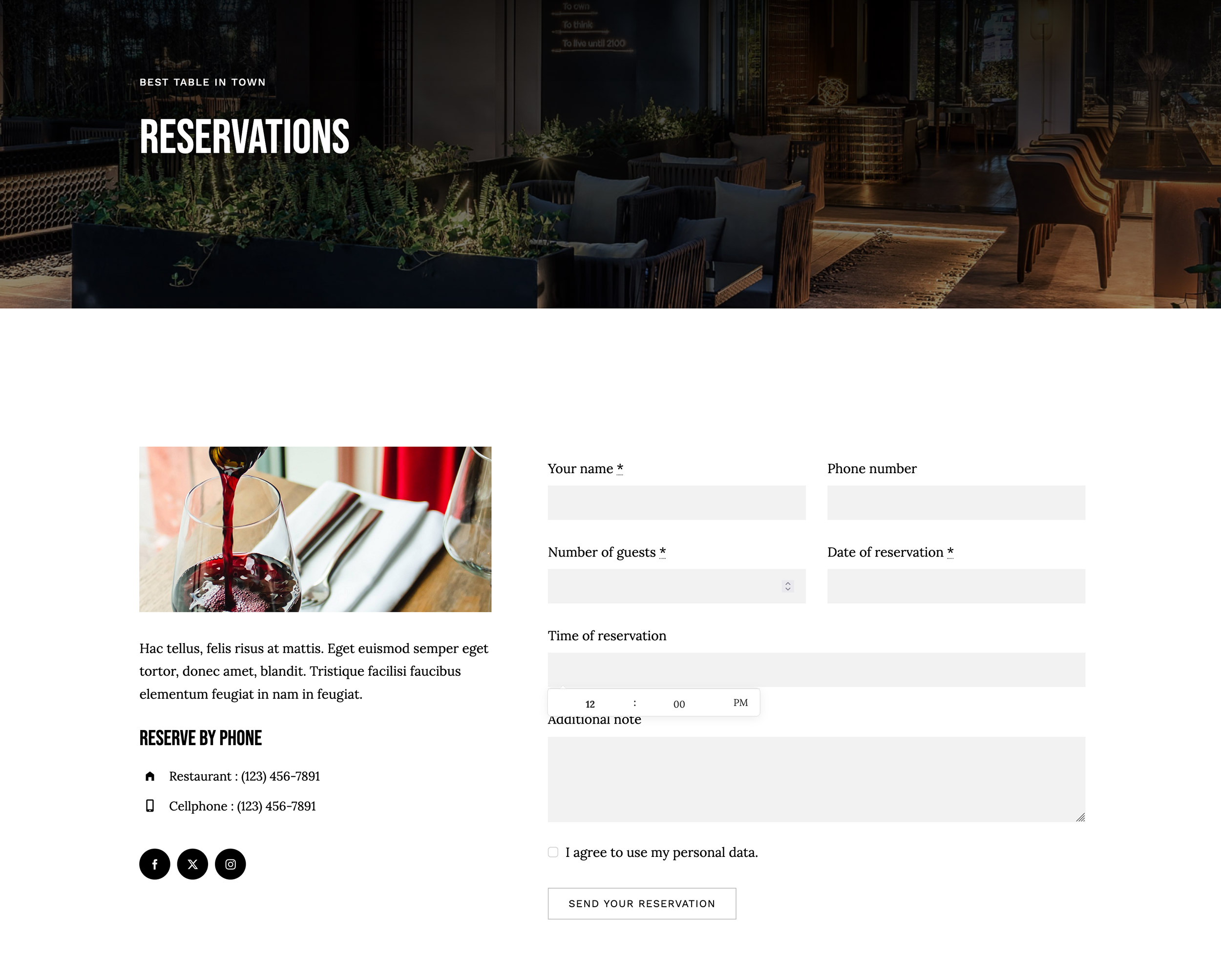
The Avada Time Field Element is an Avada Form Builder Element that allows users to input or select a specific time within a form for scheduling, bookings, or any scenario where time selection is necessary. It can be customized with various display formats, validation rules, and styling options, ensuring seamless integration with the overall Avada Form design.

Examples can include the individual option values set for that particular instance; however, in some cases, not all Element variations can be shown as they may be too numerous. Where a live example cannot be shown, an image representation will be used as a substitute. For more detailed information, please refer to the related Element documentation and videos.

Avada Forms Textarea Field Featured ImageTextarea Field
Avada Forms Upload Field Featured ImageUpload Field
Go to Top