Avada Builder vs Avada Live
Last Update: April 17, 2026
If you’re completely new to building websites, Avada’s Live Visual Builder makes the process far more approachable by letting you design your site visually, right on the page, instead of working with code. As you build, you can add sections, text, images, buttons, and other content using simple drag-and-drop controls, while seeing your changes happen in real time.
This means you can shape your website step by step—adjusting layouts, colors, spacing, and design details as you go—without needing technical experience. With Avada and WordPress together, you get a flexible, beginner-friendly way to create a professional website from scratch or by starting with an Avada prebuilt website and customizing it to suit your own goals.
In addition to the primary Live Visual Builder, Avada gives you access to a secondary interface known as a Wireframe Backend Builder, offering you another choice over how to edit your page/post content.
Primary ⇒ Avada Live Visual Builder (Drag & Drop)
The Avada Live Visual Builder is Avada’s front-end, drag-and-drop website builder for WordPress. Using the Live Visual Builder, you design pages, posts, and layouts directly on the page or post, and see your changes instantly as you work instead of switching back and forth between a backend editor and a preview screen. It is a no-code, on-page editor built to give you complete design freedom while keeping the workflow intuitive and visual.
One of the biggest advantages of Avada Live is workflow efficiency. While editing on the front end, you can also access related controls, such as Avada Global Options and Avada Page Options, on the same screen, making it much faster to fine-tune both the design and page-specific settings in context. Features like the Avada Live Navigator further help by giving you a structural overview of every Container, Column, and Element on the page, making complex layouts easier to manage.

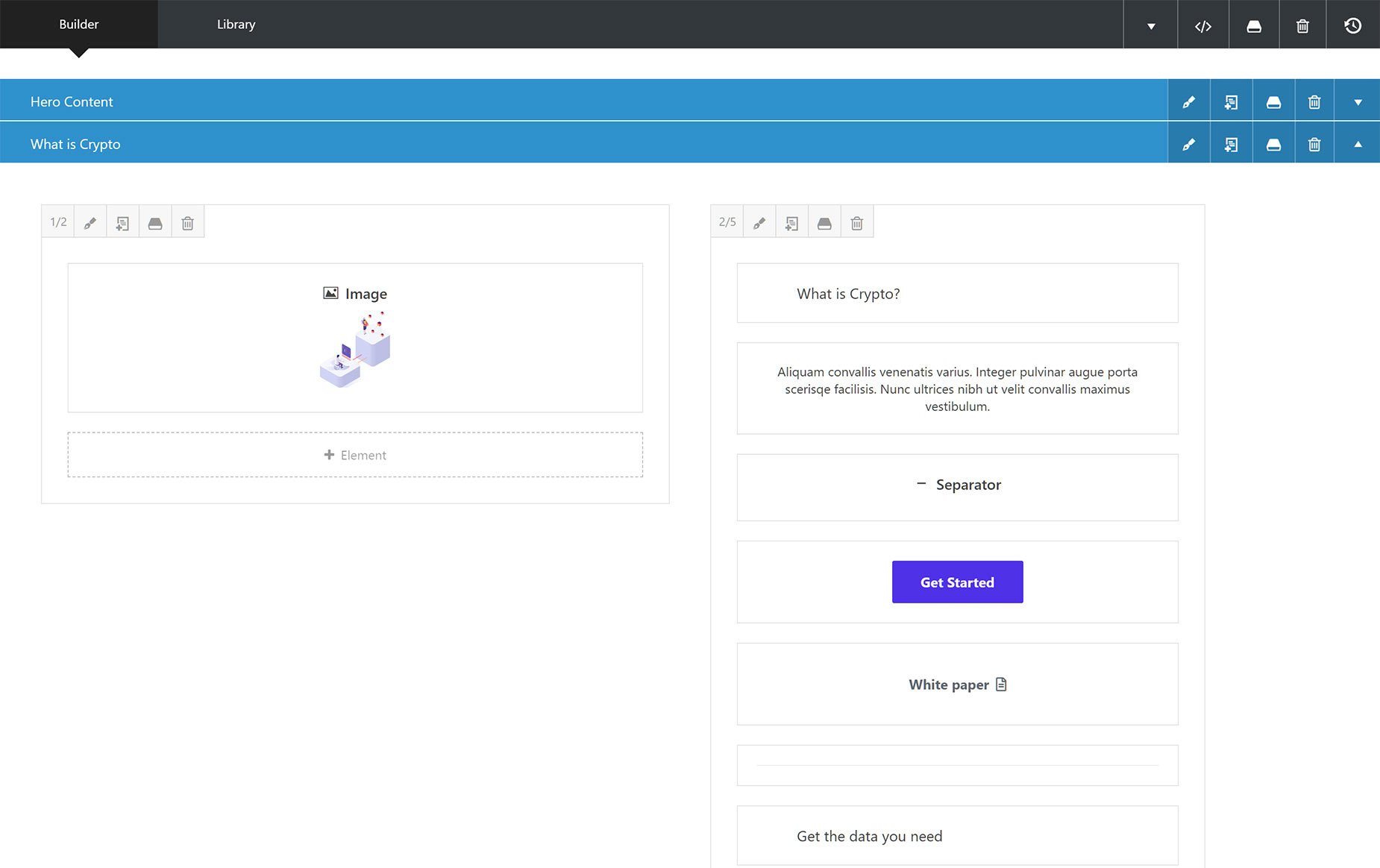
Secondary ⇒ Avada Backend Builder (Wireframe)
The Avada Backend Builder (wireframe) is a secondary back-end editor that lets you build pages using a structured system of Containers, Columns, and Elements. Instead of designing directly on the live page, you arrange your layout in a wireframe view in the WordPress Admin, then open a separate preview window to see the finished result. This builder is fully functional and uses the same content structure as Avada Live, so content created by both builders is identical and fully compatible.
The reason it is generally less efficient than the Avada Live Visual Builder is the workflow. With Avada Live, you edit directly on the front end, see the page as you build it, and watch changes update immediately. By contrast, the Backend Builder (wireframe) requires you to build in an abstract layout view and then preview the result separately, which adds extra steps and makes design decisions less efficient.